


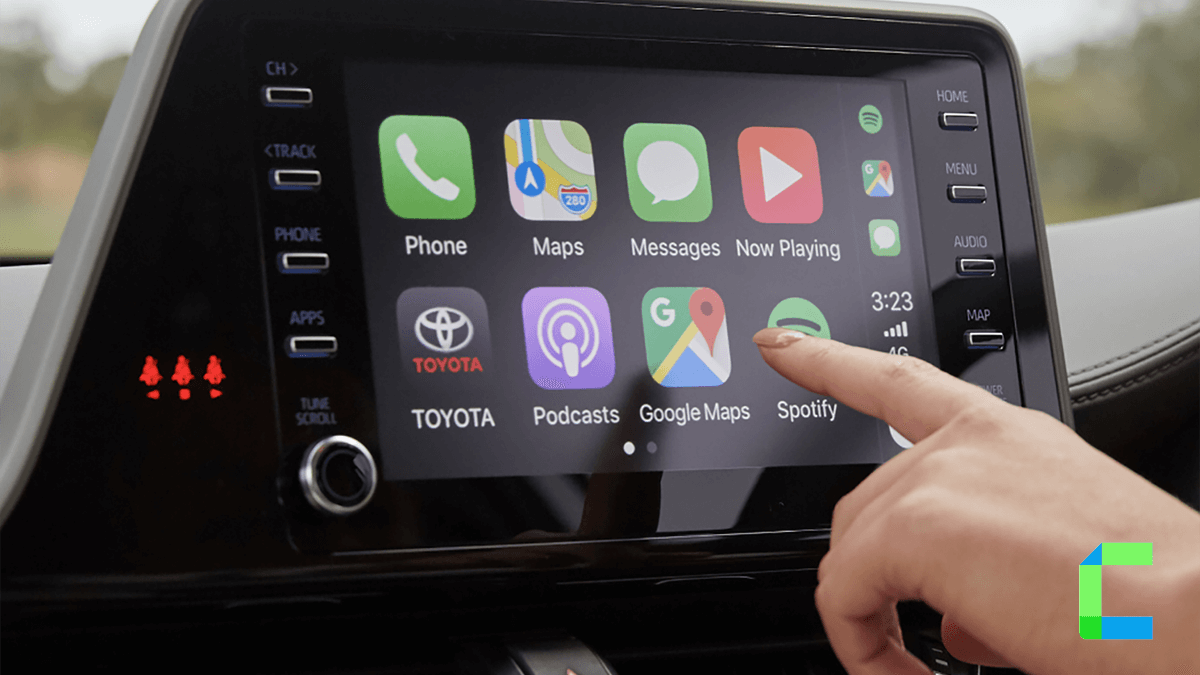
Modern cars are becoming smarter every year, and one feature many drivers love is Apple CarPlay. It connects your iPhone to your car’s dashboard screen, allowing you to safely use important apps while driving.
Apple introduced CarPlay in 2014, and today it is available in thousands of car models around the world. It helps drivers stay connected without getting distracted on the road.
Quick Answer
Once connected (with a cable or wirelessly), your car display shows a simple version of your iPhone interface, allowing you to control apps using the touchscreen, buttons, or Siri voice commands.
What Is Apple CarPlay?
Apple CarPlay is a smart driving system designed by Apple that allows your iPhone to work directly with your car’s built-in infotainment system. When connected, your car display shows a simplified version of your iPhone interface. This lets you access important apps without picking up your phone.
CarPlay supports many useful apps such as:
- Apple Maps
- Google Maps
- Spotify
- Apple Music
- Podcasts
- Phone and Messages
How Does Apple CarPlay Work?
Apple CarPlay works by mirroring selected iPhone apps onto your car’s infotainment display. Here’s how the process works step by step:
How Do You Set Up Apple CarPlay?
After the first setup, CarPlay will automatically start every time you connect to your phone.
Does Apple CarPlay Work Wirelessly?
Yes, many modern vehicles support Wireless Apple CarPlay. Wireless CarPlay uses Bluetooth and Wi-Fi to connect your iPhone to the car without a cable. However, there is one downside:
- This method does not work on the latest iPhones
- WheelPal does not support latest iOS versions
What Can You Do with Apple CarPlay?
Apple CarPlay includes several useful features that make driving easier and safer. One of the most popular features is navigation. Drivers can use apps like Apple Maps, Google Maps, and Waze to get real-time directions, traffic updates, and estimated arrival times directly on the car’s display. CarPlay also makes phone communication simple by allowing you to make and receive calls through the car speakers and microphone, so you don’t have to hold your phone while driving.
Another helpful feature is messaging and entertainment. With the help of Siri, CarPlay can read incoming messages aloud and let you reply using voice commands, which keeps your hands on the wheel and your eyes on the road. For entertainment, you can listen to music, podcasts, and audiobooks through apps like Spotify and Apple Music. All these features can be controlled using the car’s touchscreen or Siri voice commands, making it easy to stay connected while driving.
Can You Watch Streaming Apps on Apple CarPlay?
Normally, Apple CarPlay does not allow video streaming apps like Netflix or YouTube while driving. This restriction exists to prevent driver distraction. However, some third-party tools such as WheelPal allow users to access additional apps, including streaming services.
Wheelpal is designed to connect infotainment systems with phones to allow default apps like YouTube, Netflix etc. But you won’t be able to directly play streaming apps through the WheelPal app. After installing the WheelPal app you can access different types of apps.
Using apps such as cartube, carbridge, ngxplay you can find new movies, TV Series, or whatever. With Wheelpal, drivers can easily and safely access their favorite apps and entertainment features while on the road like you enjoy, Spotify, YouTube, and Hulu.
With WheelPal, users can access apps such as:
- Netflix
- YouTube
- Streaming tools
- Mirroring applications
Also, Siri plays an important role in CarPlay. It allows you to control many features using your voice. Siri reads messages aloud and lets you reply by speaking, which helps drivers keep their eyes on the road.
What Cars Support Apple CarPlay?
Apple CarPlay is supported by hundreds of car models from major manufacturers. Some popular brands include:
| Toyota | Honda | Ford |
| BMW | Audi | Mercedes-Benz |
| Hyundai | Kia | Nissan |
Most cars released in the last few years already include CarPlay as a standard feature.
Conclusion
Apple CarPlay is one of the easiest ways to connect your iPhone with your car. It helps drivers use important apps like navigation, music, and messaging without touching their phone. With voice control, a simple interface, and wide support across vehicles, CarPlay has become a standard feature in modern cars.
The information in this article is for general informational purposes only. Apple CarPlay features and compatibility may vary depending on the vehicle, iPhone model, and software version. Always follow local driving laws and use in-car technology responsibly to avoid distractions while driving.