


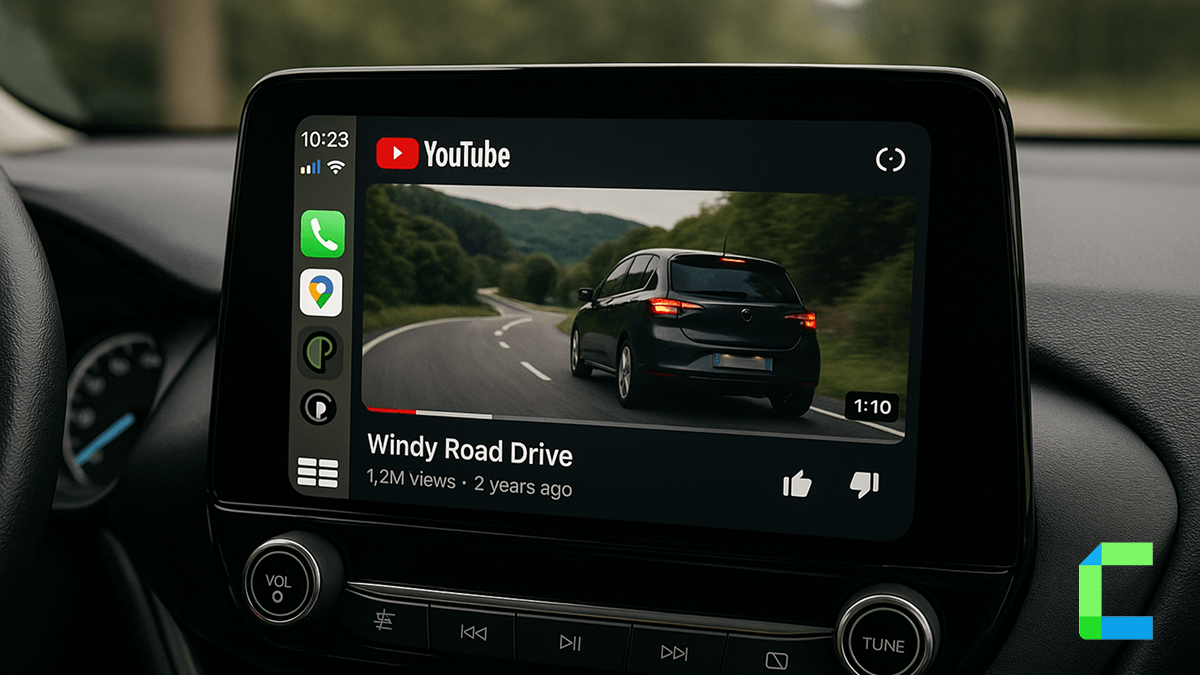
Playing YouTube on CarPlay is possible now! In this context, I‘ll brief you on two methods to watch YouTube on Apple CarPlay, the first one is the WheelPal app and the second one is the Carlinkit AI box.
Imagine watching a YouTube music video or comedy video on CarPlay while you are at the park. The following shows the methods to add YouTube in CarPlay and a comprehensive analysis of it.
Solutions
Can You Play YouTube on CarPlay?
No, you can not play YouTube on CarPlay with default settings. Apple Inc. and auto manufacturers have restricted the video playback on CarPlay due to safety issues. But in this guide, I have provided you with two solutions that can enable YouTube on CarPlay.
Disclaimer: Watching videos on CarPlay while driving is risky. Therefore, watch videos in the vehicle when you are parked.
How to Mirror YouTube on Apple CarPlay?
I have listed software and hardware solutions below that enable you to play YouTube on CarPlay.
WheelPal App
WheelPal for CarPlay is a software solution that can upgrade CarPlay. WheelPal is an alternative for CarBridge app. WheelPal allows users to add any app to the CarPlay if the iPhone is a jailbroken one. YouTube, Netflix, etc can be watched on the CarPlay screen.
The WheelPal app is not compatible with the latest iOS versions, like iOS 18.5 and iOS 26, due to the unavailability of jailbreaking tools.

Disclaimer: Jailbreaking an iPhone may void the warranty and cause security issues. Therefore, the recommended way is not to jailbreak your iPhone.
Carlinkit AI Box
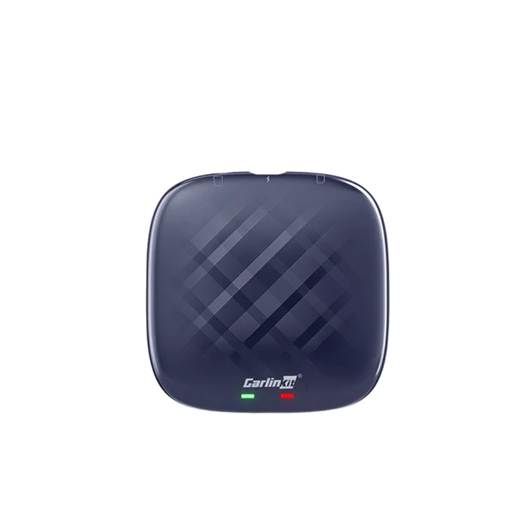
Carlinkit CarPlay YouTube adapter allows you to add YouTube, Netflix, TikTok, etc to CarPlay. The Carlinkit Wireless AI box is designed to add any app to Apple CarPlay.
- Connect iPhone via Bluetooth and hotspot to the CarPlay
- Access streaming services such as YouTube, Netflix, TikTok, and Hulu directly on Apple CarPlay.
- 8+128 GB RAM and ROM
- Automatic connection after the initial connection
- Wired to wireless CarPlay
- Compatible with iPhone 6 to iPhone 16 Pro Max and iPhone 16e
- Compatible with iOS 10 to iOS 18.5 and iOS 26 (tested)
- Plug and play installation
- No requirement of jailbreaking the iPhone.
Comparison of WheelPal Vs Carlinkit AI Box
| Criteria | WheelPal App | Carlinkit AI Box |
|---|---|---|
| Requires Jailbreak | Yes | No |
| Video Quality | May reduced | High |
| Cost | Butdet friendly | Higher but more features |
| Compatibility | Limited (No iOS 18.5,26) | Full (Up to iOS 26 tested) |
| Update Support | Poor | Excellent |
| Installation Complexity | Medium | Easy (Plug and Play) |
| Add Any App | Yes | Yes |
Step-by-Step Guide for Carlinkit AI Box Installation
01. Plug the AI box into the Car's infotainment system with the given USB cable
02. It will restart in 15 seconds and turn on Bluetooth and Wi-Fi on your iPhone
03. Connect iPhone to the CarPlay via Bluetooth and Wi-Fi
04. You are all set!
The Recommended Solution
It’s a perspective one. If you are a budget-friendly user with a jailbroken iPhone, the WheelPal app is the best solution. On the other hand, if you are a value-seeking user, the Carlinkit AI box is the best solution.
In my personal experience, the Carlinkit AI box YouTube AI box is worth than the WheelPal app as the Carlinkit AI box has no limit for adding any app to the CarPlay screen.
Real World Experience
Living in one of the USA's traffic battlegrounds is like signing up for a daily marathon where what should be a 20-minute breeze drive transforms into an exhausting 1 hour and 45-minute crawl during rush hour. It's like merging onto a highway-turned-parking-lot after a full day's work, where you're practically on a first-name basis with the car next to you. To salvage my sanity from this traffic nightmare, I turned to science podcasts, hoping to ascend into an intellectual stratosphere while inching forward. But then it hit me! When I saw the line of cars in traffic and thought about "The Grand Line," I told myself that it would be nice to catch up on "One Piece" during the rush hour bumper-to-bumper traffic. After a throughout research,h I came across this device and can now finally catch up on "One Piece" – Carlinkit AI box (Amazon)
Conclution
In this article, I have talked about two methods to play YouTube on CarPlay. The WheelPal app Vs the Carlinkit AI box are the solutions mentioned above. About WheelPal and Carlinkit AI box, comparison, recommendations, etc, we have discussed here. You can choose what fits you and enjoy your ride with YouTube on your CarPlay.
Additionally, iOS 26 is about to be released in September, and CarPlay Ultra is taking over the world. You can refer to these articles for more information. Also, you can get any CarPlay item from our shop. Check it now and make your ride special.