
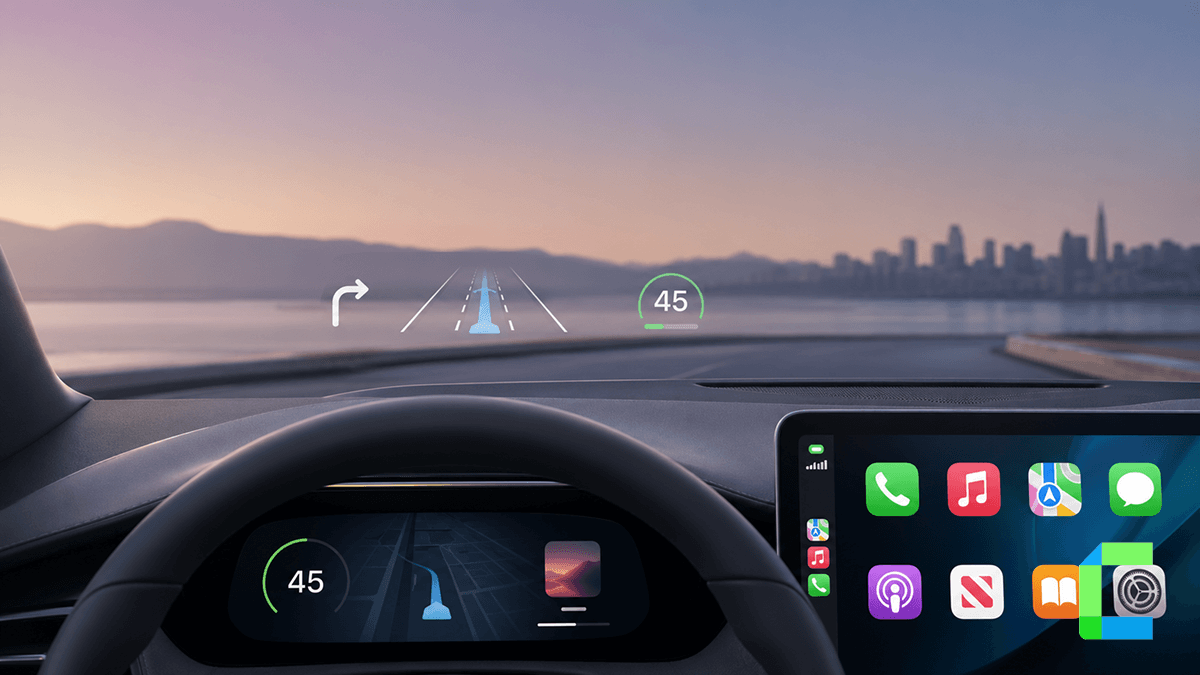
Best CarPlay HUD (Head-Up Display) Options in 2026

Most "CarPlay HUD" listings aren't actually connected to CarPlay. See which ones really are, how each works, and which to buy for your car in 2026.

· 6 min read
Best CarPlay HUD (Head-Up Display) Options in 2026
carplay-hud

Last updated: July 2026

A carplay hud is a display that projects driving data or your CarPlay session into your windshield or a dashboard screen, so you don't have to look down at your phone or dash. There are two real types: a universal OBD2/GPS windshield projector for most cars, and a dashboard screen for Tesla Model Y/3 that actually mirrors CarPlay itself. Below are the two we recommend, and how to tell them apart before you buy.

Here's the catch most buyers don't know: a lot of products sold as "CarPlay HUD" online aren't connected to CarPlay at all. They're plain OBD2 or GPS gauges with the word CarPlay added to the title for search traffic. This guide only covers products we've verified, what data each one actually shows, and where each one gets that data from, so you know exactly what you're buying.

This article covers the two real types of carplay heads up display on the market, a universal pick for most cars, a Tesla-specific pick, how to install both, and answers to the most common apple carplay hud display questions.

Windshield Projector or Dashboard Display, Which CarPlay HUD Do You Need?

It depends on whether your car already has a screen running CarPlay or not.

Most cars fall into the first category: a universal carplay hud display projects a floating image onto your windshield, showing data pulled from your car's OBD2 port or GPS, while your phone's CarPlay session keeps running normally on your existing head unit screen. The HUD and CarPlay run side by side, not on the same display.

Tesla Model Y and Model 3 owners are the main exception. Tesla removed the traditional instrument cluster from these models, so a dedicated dashboard screen exists to fill that gap directly in front of the driver, and this type does mirror CarPlay itself.

Universal HUD Tesla-Specific HUD
Form factor Windshield projection Dashboard screen
Data source OBD2 + GPS Vehicle data + wireless CarPlay mirror
Best for Most cars with an OBD2 port Tesla Model Y (2020-2024) and Model 3 (2017-2023, Highland 2024)
Shows CarPlay UI directly No Yes

If your car doesn't have CarPlay built in at all yet, sort that out first with wireless CarPlay adapters before adding a HUD on top of it.

Quick way to decide:

  • Driving a Tesla Model Y or Model 3? Go straight to the Tesla-specific pick below, it's built for your car's missing instrument cluster.
  • Driving anything else with an OBD2 port, most cars from 2008 onward? The universal pick is the one to look at.
  • Not sure if your car has an accessible OBD2 port? The universal unit falls back to GPS mode, so it's still an option either way.

Best Universal HUD

What it actually shows: speed, water temperature, voltage, and six configurable alarms (overspeed, high water temperature, low voltage, engine fault, fault code clear, tired driving reminder). It does not mirror the CarPlay screen itself. Your phone's CarPlay session keeps running on your car's own display exactly as it does today, this HUD just adds a second layer of driving data in your windshield.

Other specs worth knowing: automatic brightness adjustment so the display doesn't wash out in daylight or blind you at night, automatic on/off tied to your ignition, and a 10Hz refresh rate so speed and alerts update without lag.

Head Up Display (HUD)
For non-Tesla vehicles, a universal OBD2 and GPS carplay hud projector is the most practical option. This is a genuine dual-mode unit. It reads live data from your car's OBD2 EOBD port when available, and switches to GPS mode as a fallback if your car is older or the port isn't accessible. That's a real distinction, since a lot of cheaper competitors only do one or the other while advertising both.

Best Tesla-Specific CarPlay HUD

Tesla Model Y and Model 3 owners have a different problem to solve: there's no traditional gauge cluster to add a HUD onto in the first place, and Tesla doesn't natively support CarPlay the way most other manufacturers do (see our full breakdown of Tesla's CarPlay support for the details on why). The Tesla Model Y/3 HUD is built specifically to fill both gaps at once, giving you a dedicated instrument display and a way to run CarPlay wirelessly in a car that doesn't offer it from the factory.

Unlike the universal pick above, this is not a windshield projector. It's an 8.9" screen that mounts on the dashboard directly behind the steering wheel, in the position a normal instrument cluster would occupy. It's a plug-and-play install with no wiring modifications described in the product spec.

Tesla Model Y Head Up Display (HUD) Model 3 Dashboard 2025
This is the one product in this guide that genuinely mirrors CarPlay. It supports wireless CarPlay and Android Auto with steering wheel control, syncing your vehicle's own dashboard information (speed, and other data pulled directly from the car) alongside your phone's mirrored session. It also includes day and night interface modes for readability. Compatibility per the listing: Model Y (2020 to 2024) and Model 3 (2017 to 2023, plus the 2024 Highland refresh).

How to Install a CarPlay HUD

Universal OBD2 + GPS HUD Install

This is a plug-and-play install, no tools required.

  • 1
    Locate your car's OBD2 port, usually under the dashboard near the steering column.
  • 2
    Connect the HUD's OBD2 cable directly to the port.
  • 3
    Apply the included reflective film to your windshield in the driver's sightline, if your unit uses one.
  • 4
    Position the HUD unit on the dash so the projection lands cleanly on the film.
  • 5
    Start the car. The unit powers on automatically with the ignition and reads OBD2 data by default.
  • Tesla Dashboard HUD Install

    This is also described as a plug-and-play install per the product listing.

  • 1
    Mount the 8.9" display in the dashboard position behind the steering wheel, per the included bracket.
  • 2
    Connect the unit to your Tesla's 12V output.
  • 3
    Pair the unit with your iPhone or Android device over wireless CarPlay or Android Auto, the same way you'd pair with your car's main screen.
  • 4
    Confirm the display is syncing your vehicle's original dashboard data, including speed and other synced readouts.
  • The right carplay hud comes down to matching the type to your car, not the brand. Most drivers want a universal OBD2 and GPS windshield projector, while Tesla Model Y and Model 3 owners need a dedicated dashboard screen since their cars don't have a traditional cluster to begin with. Either way, know what data source you're actually getting before you buy.

    Browse the full HUD collection

    Frequently Asked Questions Related to CarPlay Huds

    Does a CarPlay HUD show Apple Maps or Waze directions?
    It depends on the type. A universal OBD2/GPS HUD does not; it only shows vehicle data like speed and alerts, while Google Maps on CarPlay or Waze on CarPlay continue running on your car's main screen as normal. A dashboard-style HUD like the Tesla unit mirrors your CarPlay session directly, so navigation does appear on it.
    What's the difference between an OBD2 HUD and a true CarPlay HUD?
    An OBD2 HUD reads data from your car's diagnostic port or GPS and displays speed, RPM, or alerts. It runs alongside CarPlay, not through it. A true CarPlay HUD, like a Tesla dashboard display, mirrors your phone's CarPlay session directly onto the unit itself. Most products marketed as "CarPlay HUD" online are actually the first type.
    Can I use a CarPlay HUD without a wireless CarPlay adapter?
    Yes, for the universal OBD2/GPS style, since it doesn't interact with CarPlay at all; it just adds a second data display. If your car doesn't have CarPlay built in yet, you'll still need wireless CarPlay adapters separately to run CarPlay itself.
    Does the Tesla HUD replace my Tesla's built-in screen?
    No, it adds a dedicated display behind the steering wheel where a traditional instrument cluster would sit, since Tesla Model Y and Model 3 don't have one. Your car's main center touchscreen is unaffected and continues to run as it does today.
    How do I stop a windshield HUD from washing out in daylight?
    The Geyren universal HUD includes automatic brightness adjustment specifically for this, brightening in direct sun and dimming at night. Positioning also matters; keep the reflective film clean and angled so the projection doesn't overlap with glare from the windshield itself.

    Cian Roark

    I research CarPlay and Android Auto integration, analyzing the latest AI boxes, dashboard upgrades, and top third-party apps to provide insights that enhance the driving experience.

    { "@context": "https://schema.org", "@type": "FAQPage", "mainEntity": [ { "@type": "Question", "name": "Does a CarPlay HUD show Apple Maps or Waze directions?", "acceptedAnswer": { "@type": "Answer", "text": "It depends on the type. A universal OBD2/GPS HUD does not; it only shows vehicle data like speed and alerts, while Google Maps on CarPlay or Waze on CarPlay continue running on your car's main screen as normal. A dashboard-style HUD like the Tesla unit mirrors your CarPlay session directly, so navigation does appear on it." } }, { "@type": "Question", "name": "What's the difference between an OBD2 HUD and a true CarPlay HUD?", "acceptedAnswer": { "@type": "Answer", "text": "An OBD2 HUD reads data from your car's diagnostic port or GPS and displays speed, RPM, or alerts. It runs alongside CarPlay, not through it. A true CarPlay HUD, like a Tesla dashboard display, mirrors your phone's CarPlay session directly onto the unit itself. Most products marketed as \"CarPlay HUD\" online are actually the first type." } }, { "@type": "Question", "name": "Can I use a CarPlay HUD without a wireless CarPlay adapter?", "acceptedAnswer": { "@type": "Answer", "text": "Yes, for the universal OBD2/GPS style, since it doesn't interact with CarPlay at all; it just adds a second data display. If your car doesn't have CarPlay built in yet, you'll still need wireless CarPlay adapters separately to run CarPlay itself." } }, { "@type": "Question", "name": "Does the Tesla HUD replace my Tesla's built-in screen?", "acceptedAnswer": { "@type": "Answer", "text": "No, it adds a dedicated display behind the steering wheel where a traditional instrument cluster would sit, since Tesla Model Y and Model 3 don't have one. Your car's main center touchscreen is unaffected and continues to run as it does today." } }, { "@type": "Question", "name": "How do I stop a windshield HUD from washing out in daylight?", "acceptedAnswer": { "@type": "Answer", "text": "The Geyren universal HUD includes automatic brightness adjustment specifically for this, brightening in direct sun and dimming at night. Positioning also matters; keep the reflective film clean and angled so the projection doesn't overlap with glare from the windshield itself." } } ] } { "@context": "https://schema.org", "@type": "Article", "headline": "Best CarPlay HUD (Head-Up Display) Options in 2026", "description": "Most \"CarPlay HUD\" listings aren't actually connected to CarPlay. See which ones really are, how each works, and which to buy for your car in 2026.", "author": { "@type": "Person", "name": "Cian Roark", "url": "https://blog.carplayhacks.com/author/cian/" }, "publisher": { "@type": "Organization", "name": "AutoPal LLC", "@id": "https://autollc.us/#organization", "logo": { "@type": "ImageObject", "url": "https://blog.carplayhacks.com/content/images/size/w600/2021/10/carplay-minimal-logo-white--2-.png" } }, "datePublished": "2026-07-15", "dateModified": "2026-07-15", "image": { "@type": "ImageObject", "url": "https://blog.carplayhacks.com/content/images/size/w2000/2026/07/Carplay-hud-1.png" }, "url": "https://blog.carplayhacks.com/carplay-hud/", "mainEntityOfPage": { "@type": "WebPage", "@id": "https://blog.carplayhacks.com/carplay-hud/" } } { "@context": "https://schema.org", "@type": "Product", "name": "Universal Head-Up Display HUD for Car with Android Auto", "description": "OBD2 and GPS dual-mode universal CarPlay HUD with automatic brightness adjustment and configurable driving alarms.", "sku": "1887", "brand": { "@type": "Brand", "name": "Geyren" }, "offers": { "@type": "Offer", "price": "63.00", "priceCurrency": "USD", "priceValidUntil": "2029-08-15", "availability": "https://schema.org/InStock", "url": "https://shop.carplayhacks.com/products/head-up-display-hud-for-car-androidauto-hud?ref=blog.carplayhacks.com" }, "image": "https://shop.carplayhacks.com/cdn/shop/files/carplay-hud-for-any-car-model.png?v=1735627755&width=823" } { "@context": "https://schema.org", "@type": "Product", "name": "Tesla Model Y/3 Head-Up Display HUD Dashboard", "description": "8.9-inch dashboard-mounted display for Tesla Model Y and Model 3 with wireless CarPlay and Android Auto mirroring.", "sku": "1987", "offers": { "@type": "Offer", "price": "229.00", "priceCurrency": "USD", "priceValidUntil": "2029-08-15", "availability": "https://schema.org/InStock", "url": "https://shop.carplayhacks.com/products/tesla-model-y-head-up-display-hud-model-dashboard?ref=blog.carplayhacks.com" }, "image": "https://shop.carplayhacks.com/cdn/shop/files/tesla-carplay-hud_1.png?v=1735627790&width=823" }