Last updated: August 2026
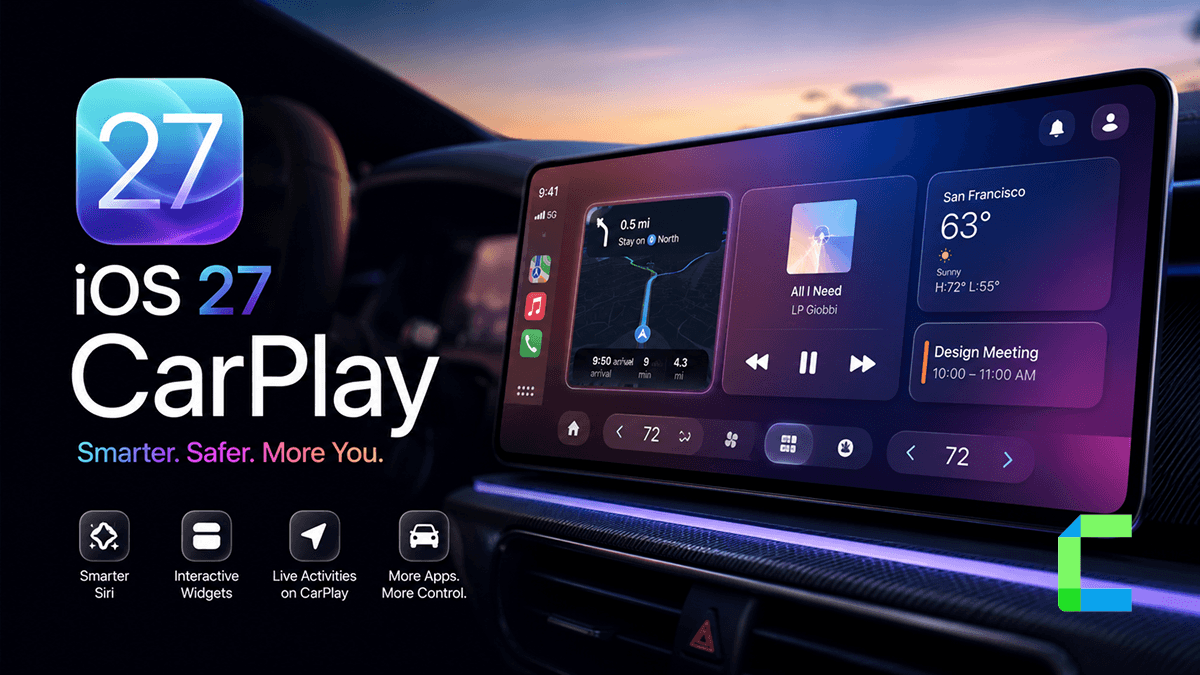
iOS 27 CarPlay brings several significant updates to your vehicle, including native video app support, a new Siri AI experience, and long awaited features like audio scrubbing. Apple has also introduced a refreshed Liquid Glass design and integrated EV range directly into the navigation interface. The full release is scheduled for September 2026, but a public beta arrives in July 2026 for those who want an early look.
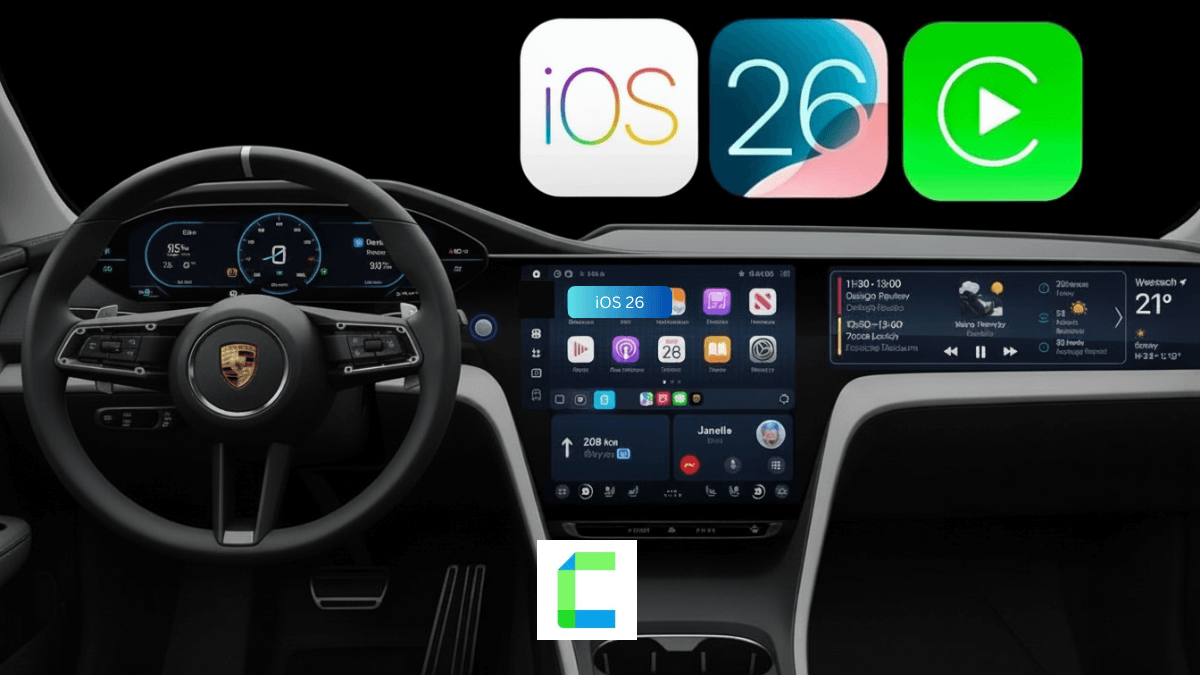
This article covers announced features based on Apple's WWDC 2026 session details and developer documentation. We will update this guide with hands-on findings once the public beta is live. If you want a recap of what changed last year, see our iOS 26 CarPlay guide.
When Is iOS 27 Coming and What Phones Support It
The iOS 27 CarPlay release date is set for September 2026, coinciding with the launch of new iPhone hardware. The developer beta is already live, with Beta 3 released on July 6. A public iOS 27 CarPlay beta is expected to be available in July 2026.
Compatibility for this update is broader than some might expect, though the most advanced features have strict hardware requirements. iOS 27 CarPlay compatible iPhones include 31 models ranging from the iPhone 11 to the upcoming iPhone 17 series.
| iOS 27 tier | What you get | iPhone models |
|---|---|---|
| Full iOS 27 + Siri AI + Apple Intelligence | All features including Siri AI on CarPlay | iPhone 15 Pro, 15 Pro Max, iPhone 16 series, iPhone 17 series (12 models total) |
| Full iOS 27, no Siri AI | All features except Siri AI on CarPlay | iPhone 11, 12, 13, 14, 15 (non-Pro), SE 2nd and 3rd gen |
| Not supported | Stays on iOS 26 | iPhone XS, XR, X, 8, 8 Plus, SE 1st gen and older |
While the update supports the A13 Bionic chip and later, Siri AI specifically requires the A17 Pro chip or newer. This means if you have an iPhone 11 through 15 (non-Pro), you will get the visual and functional updates but will stay with the standard version of Siri. If your device does not connect as expected during the update, check our guide on how to fix Apple CarPlay.
Widgets in CarPlay
In iOS 27 CarPlay, widgets let you view your Home and Apple Watch widgets directly on your car's infotainment screen. This feature, introduced in Beta 2, allows you to access key smart home controls and wearable data right on your dashboard. It means you can quickly check your home security or watch complications without opening separate apps. However, the exact configuration of these widgets is still unconfirmed.
Apple Watch Integration
With iOS 27 CarPlay, the new Apple Watch integration allows you to locate your parked car in a crowded lot directly from your wrist. This feature bridges your wearable and your vehicle display to make finding your car much easier.
Accessibility: Deep Sound Recognition
The Deep Sound Recognition feature in iOS 27 CarPlay provides visual accessibility support on your vehicle's display for deaf and hard of hearing drivers. This safety feature is designed to listen for critical environmental sounds and flash visual alerts on the CarPlay layout. However, the exact list of recognized noises, such as emergency sirens, horns, or alarms, is still unconfirmed.
Video Apps in CarPlay: Watch While Parked
The most discussed new iOS 27 CarPlay feature is the introduction of native video apps. Previously, Apple only allowed limited video playback through AirPlay on select MFi-approved vehicles. In the iOS 27 CarPlay update, developers can now build dedicated CarPlay video apps that run directly on your car's display.
Apple has confirmed Apple TV as the first supported app. Additional streaming services have not been announced as of July 2026.
Apple has built in strict safety restrictions for these CarPlay video apps when parked. Video only plays when the vehicle is in park. If the car moves from park to drive, the interface automatically falls back to an audio only mode. This is particularly useful for following along with sports broadcasts or news while you are driving. Apple cited waiting at an airport or charging an electric vehicle as primary use cases for in-car video.
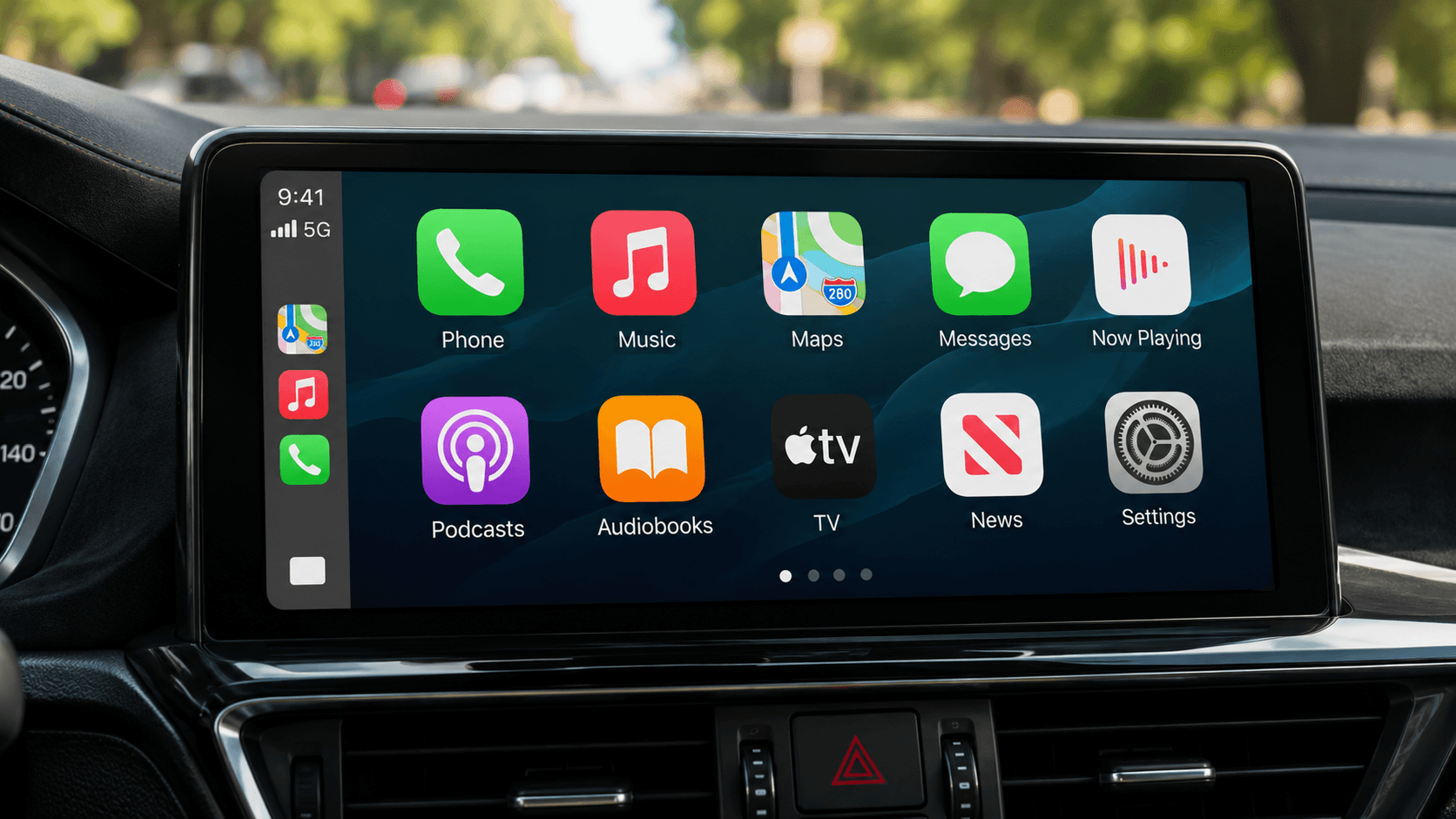
It is important to note that automaker support is required for this feature. Even with a compatible iPhone, your vehicle's manufacturer must enable the capability. As of July 2026, no specific vehicle models have been confirmed as supported yet
Don't want to wait for your car manufacturer? Here are your options today.
Software Solution
If your car is not yet on the supported list, WheelPal gives you access to video and streaming apps in CarPlay today, without waiting for your automaker to update their firmware. It gives you access to third party applications such as NGXPlay, CarTube, and CarBridge, though CarBridge requires a jailbroken device to install.
For a list of other apps that already work, see our best CarPlay apps guide.
Hardware Solution
For users whose car is the deeper blocker. Not just a dongle, but a full upgrade that unlocks iOS 27-level features regardless of what their factory head unit supports.

Not sure which path suits your car? The Best Ai Boxes collection has options at every level.
AI on CarPlay
Apple is rebuilding its voice assistant as Siri AI, integrating Apple Intelligence directly into the driving experience. This is more than a simple update, it is a shift toward a full conversational AI tool that can handle multi-step tasks.
Visually, Siri no longer takes over the entire display. Instead, a glowing glass orb appears at the bottom center of the infotainment screen, allowing your maps or media to remain visible while you talk.
Key improvements for Apple CarPlay in iOS 27 include:
- Conversational Continuity: You can start a conversation with Siri while driving and pick it up exactly where you left off on your iPhone or iPad after leaving the car.
- Contextual Awareness: Siri can now understand more complex requests, such as navigating to a restaurant a friend mentioned in a message from the previous day.
- Third Party Chat: Any app can now offer a chat style voice interface. For example, a food ordering app could let you customize and place an entire order using only your voice.
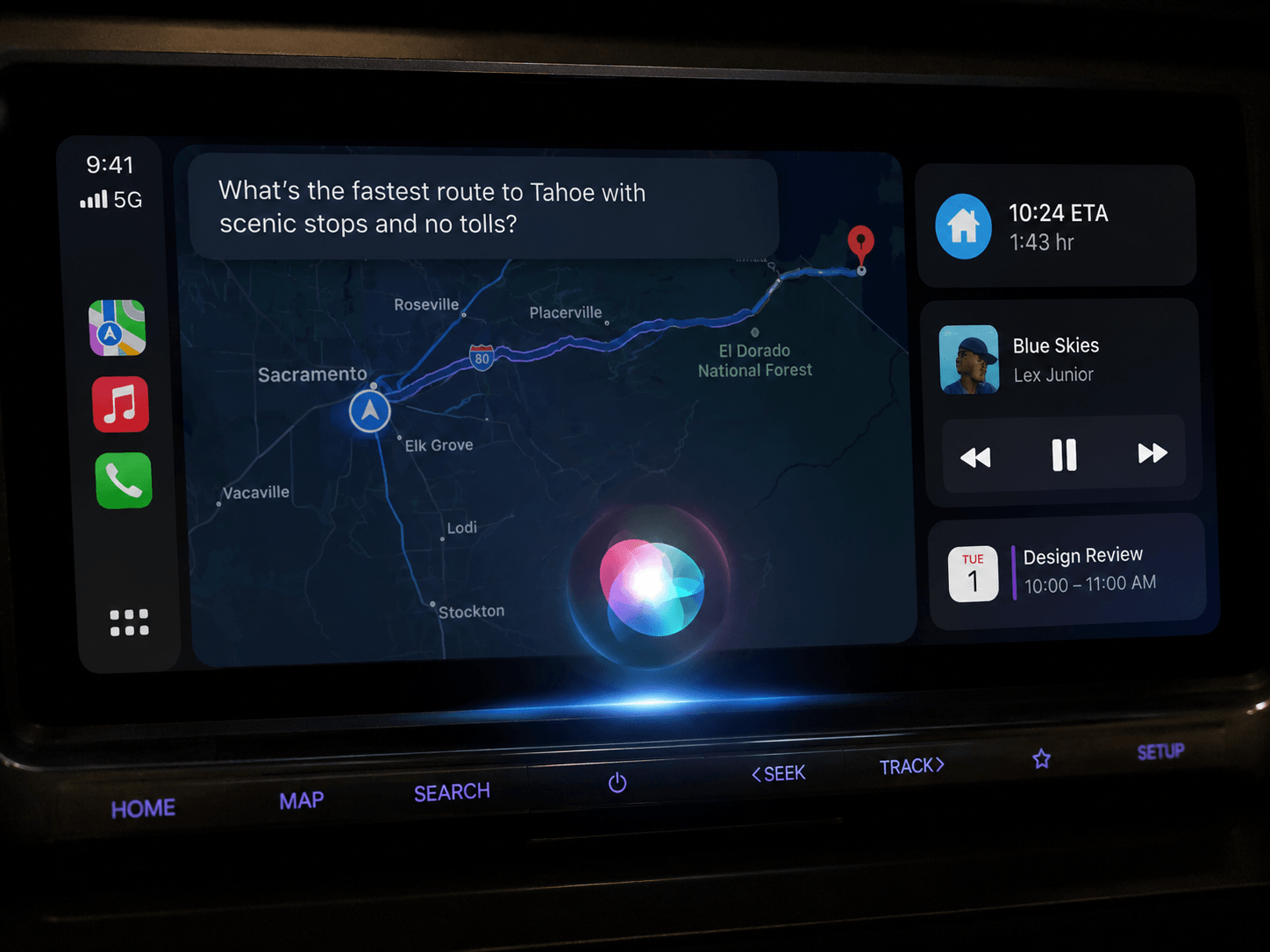
This AI experience requires an iPhone 15 Pro or newer due to the processing power needed for Apple Intelligence. Standard iPhones will still see an updated Siri icon but will not have access to these advanced conversational features.
Is the Video App Feature Actually Usable Yet?
No, not yet. Apple TV is confirmed as the first supported app, but native video apps in CarPlay require your car manufacturer to enable support on the vehicle side, and no automaker has committed to that as of Beta 3. That means there is currently no shipping vehicle where this feature can actually be tested, by us or anyone else. Casting and Apple TV app integration remain unavailable in practice until that automaker side support lands.
If you want video and streaming access in CarPlay today, WheelPal is the no-jailbreak option available right now. If CarBridge's jailbreak required install is something you are open to, our CarBridge setup guide walks through compatibility and setup.
Audio MiniPlayer and Scrubbing
Apple has finally addressed two major complaints regarding media playback in the car. These updates affect every audio app, including Apple Music, Spotify, and Podcasts.
The MiniPlayer
A persistent CarPlay mini player now appears in the top right corner of the display whenever audio is playing. This compact strip allows you to pause or skip tracks without leaving your navigation screen. Previously, controlling music required at least two taps to switch apps and return. This allows passengers to manage the playlist without interrupting the driver's view of the road.
Audio Scrubbing
For years, CarPlay users were unable to move to a specific point in a song or podcast using the progress bar. In iOS 27, the Now Playing screen finally includes a touch friendly scrubbing slider. You can now drag your finger along the timeline to skip sponsor segments in podcasts or replay a specific verse in a song.
EV Range Integration and Navigation Improvements
Navigation gets smarter in iOS 27, specifically for electric vehicle owners. CarPlay can now display your vehicle's remaining EV range directly within the map interface.
By communicating with the vehicle's internal systems, navigation apps can now:
- Show real time battery percentage.
- Suggest charging stops automatically if the destination is beyond the current range.
- Use the phone's internal sensors to maintain GPS accuracy when driving through tunnels or city "canyons" where satellite signals are weak.
Third party apps like Google Maps and Waze also benefit from new template panels. These allow the apps to show route options or trip details on the side of the screen without covering the main map.
Design Refresh: Liquid Glass
The overall visual language of iOS 27 is called Liquid Glass, which emphasizes depth and fluidity in UI elements. CarPlay inherits this look with redesigned icons for core apps like Maps and Podcasts.
New customization options include:
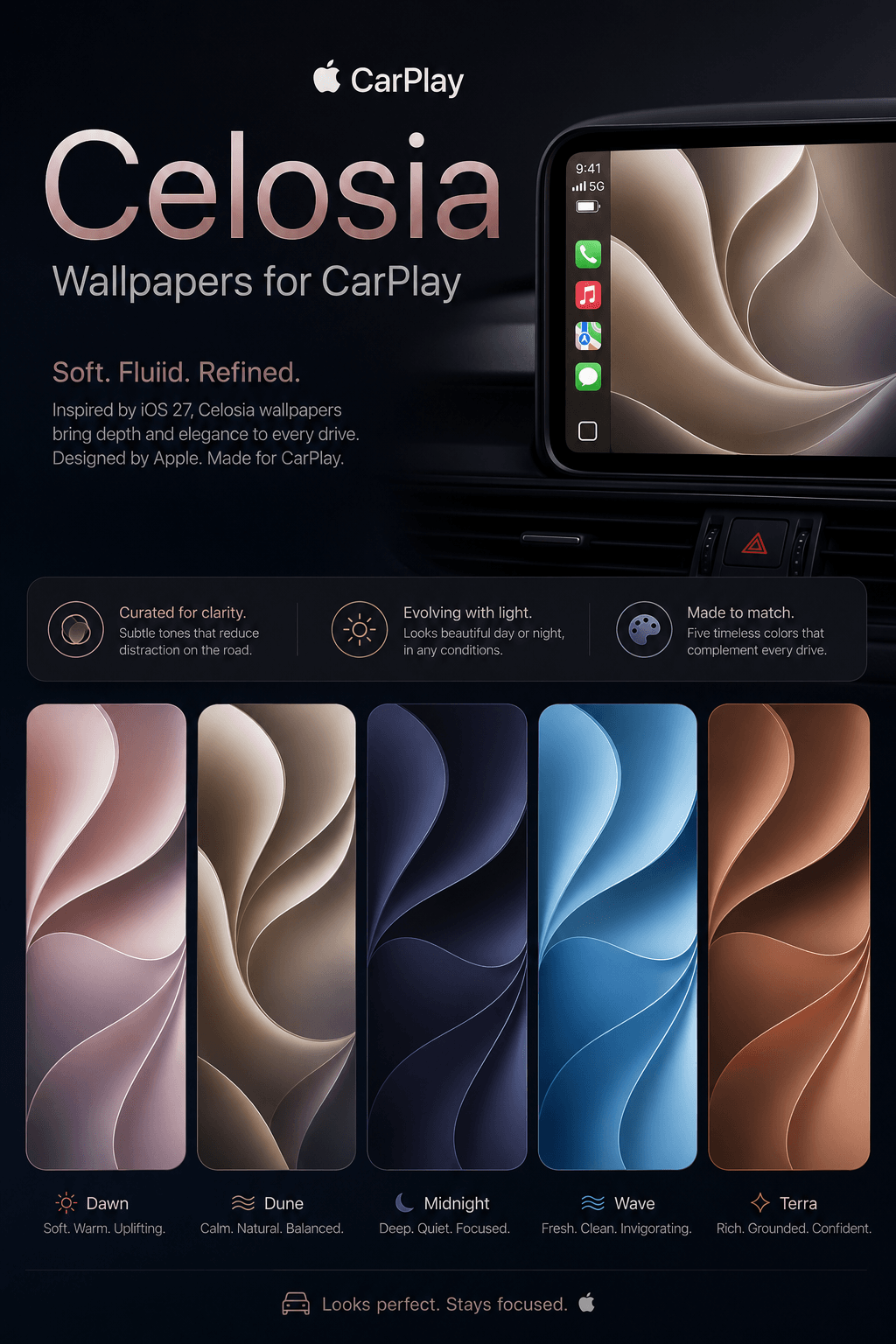
- Wallpapers: A collection of new designs based on the "Celosia" artwork found in macOS 27. These wavy designs offer both light and dark mode versions. Note that older iOS 26 wallpapers have been removed in this version.
- Interactive Thumbnails: App thumbnails and content previews are now larger and more interactive, making the system feel more responsive.
- Interface Fluidity: Animations and transitions between screens are smoother across all supported vehicles.
iOS 27 is one of the most practical updates for CarPlay in years. By introducing native video apps, Siri AI, and the persistent MiniPlayer, Apple is addressing the daily pain points of iPhone users on the road. Most of these features will arrive as a free update in September 2026, provided you have a supported iPhone.
Want expanded app access in CarPlay before September? WheelPal gives you more apps in CarPlay today, including video streaming options for many vehicles. If your car does not support wireless CarPlay natively, Read Wireless CarPlay.
 Cian Roark