Last Updated: October 2026
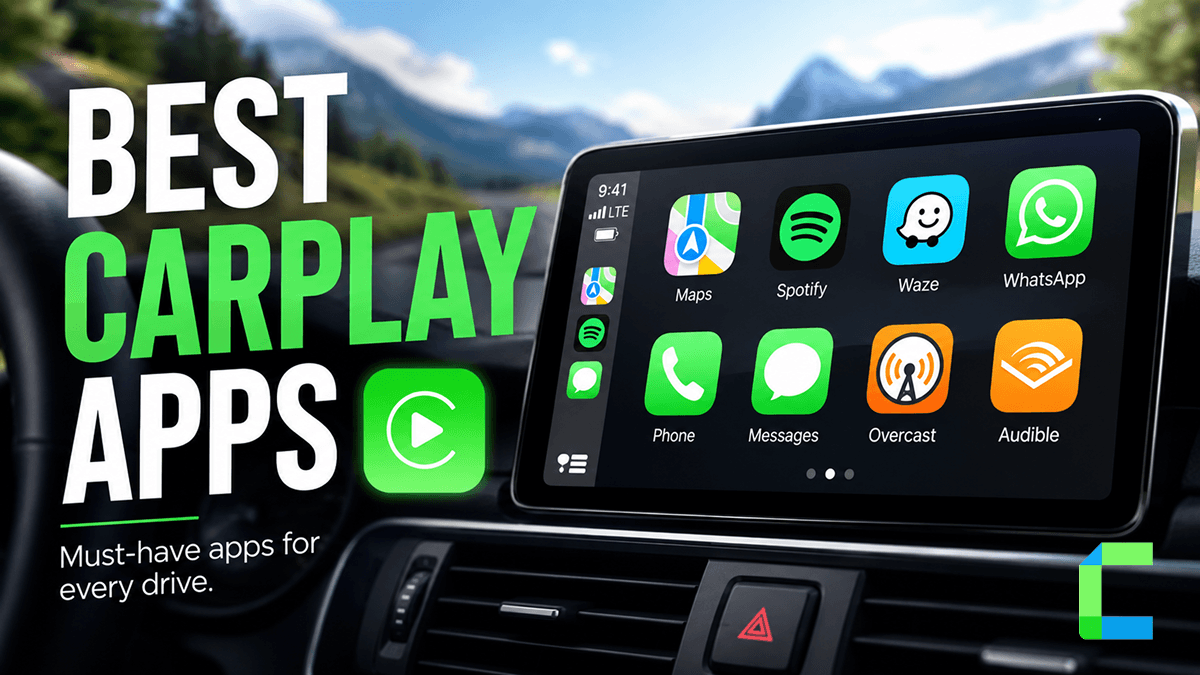
Most CarPlay setups look the same. Google Maps, Spotify, maybe WhatsApp. But CarPlay supports far more than the apps that show up by default – and the ones most drivers never find are often the most useful. This list covers all of them.
Quick Answer: What Are the Best Apple CarPlay Apps?
Solutions if Your Desired App is Not Supported in CarPlay


What Are the Best Navigation Apps for CarPlay?
Apple Maps
Apple Maps Best for: iPhone users who want zero-setup navigation that works with Siri out of the box.
- Built-in lane guidance and real-time traffic updates
- Siri voice control without leaving CarPlay
- Supports multiple stops and transit card balances via Apple Wallet
The easiest starting point for most CarPlay users. Not the most feature-rich, but deeply integrated with iPhone.
Google Maps
Google Maps Best for: Drivers who want the most accurate real-time traffic data and global coverage.
- Real-time traffic monitoring with automatic rerouting
- Detailed business search, reviews, and hours along your route
- Live View arrows for complex junctions and unfamiliar areas
The most reliable third-party navigation app on CarPlay. If you drive in cities or travel internationally, this is the one.
Waze
Waze Best for: Drivers who want community-reported hazards, speed cameras, and police alerts in real time.
- Community-driven reports for accidents, road closures, and speed cameras
- Alternative route suggestions based on live traffic conditions
- Built-in music and podcast controls so you stay in the app
The best CarPlay navigation app for avoiding surprises on the road. Especially useful for daily commuters on familiar routes.
TomTom Go
Best for: Drivers who want offline maps and ad-free navigation without relying on mobile data.
- Downloadable offline maps for 150+ countries
- Real-time speed camera alerts and lane guidance
- Ad-free, subscription-based with no data needed once maps are downloaded
The best option for long road trips or areas with patchy signal. A paid app, but worth it if you regularly drive offline.
Sygic GPS Navigation
Best for: Drivers who need 3D offline maps with advanced lane guidance and speed camera alerts.
- 3D offline maps with real-time speed camera and traffic alerts
- Detailed lane assist displayed directly on the CarPlay screen
- Works without mobile data once maps are downloaded
A strong alternative to TomTom Go for drivers who prioritize offline navigation. Full CarPlay features require a Premium+ subscription.
Read Best EV Charging Apps on Apple Carplay for further knowledge
What Are the Best Audio Apps for CarPlay?
Spotify
Best for: Drivers who want personalized playlists and podcast integration in one place.
Apple Music
Best for: iPhone users who want native Siri integration and lossless audio.
Tidal
Best for: Audiophiles who want high-fidelity streaming on the road.
For a deeper breakdown of every music and audio app worth having on CarPlay, see our full guide: Best CarPlay Music Apps
Audible
Best for: Long-distance drivers who prefer audiobooks over music.
- Download books for offline listening before you drive
- Picks up exactly where you left off between sessions
- Works entirely through voice commands on CarPlay
The best CarPlay app for making long drives feel short.
Overcast
Best for: Podcast listeners who want a smarter listening experience than Apple Podcasts.
- Smart Speed removes silent gaps to save time without distorting audio
- Voice Boost makes quieter podcasts easier to hear in noisy cars
- Clean CarPlay interface with playlist and episode management
The go-to podcast app for CarPlay. Once you try Smart Speed you won't go back.
Pandora
Best for: Drivers who want personalized radio stations built around a few favorite songs or artists.
- Create custom stations from any song, artist, or genre
- Thumbs up and thumbs down controls refine stations while you drive
- Offline mode for Premium subscribers
A solid pick for drivers who prefer curated radio over building playlists themselves.
iHeartRadio
Best for: Drivers who want live local radio stations alongside podcasts and curated playlists.
- Stream thousands of live AM/FM stations from across the country
- Switch between live radio, podcasts, and custom stations in one app
- Hands-free station search and playback control through CarPlay
The best CarPlay app for drivers who still want the live radio experience with modern search and playback.
Pocket Casts
Best for: Podcast listeners who want granular playback control and cross-device syncing.
- Variable playback speed and silence trimming on every episode
- Syncs listening progress across phone, car, and other devices
- Clean, distraction-light CarPlay interface
A strong Overcast alternative, especially for listeners who already use Pocket Casts on other devices.
What Are the Best Messaging Apps for CarPlay?
Best for: Drivers who want full hands-free messaging and calling on the world's most used chat app.
- Scroll through message history and launch chats directly from CarPlay
- Call history with incoming, outgoing, and missed call view
- Voice messages and calls without touching your phone
The most fully featured third-party messaging app on CarPlay as of 2026.
iMessage
Best for: iPhone users who want native, zero-setup messaging built into CarPlay.
- Siri reads and replies to messages hands-free
- Seamless integration with Apple ecosystem
- No additional setup required
The default choice. Simple, reliable, and already there.
Google Meet
Best for: Professionals who need to join meetings or calls while commuting.
- Join scheduled meetings with a single tap from the CarPlay screen
- View upcoming meeting schedule directly on the dashboard
- Audio-only mode keeps calls safe while driving
A recent addition to CarPlay and genuinely useful for commuters. Note that video, chat, and hand raise are not available while driving.
Telegram
Best for: Drivers who need secure, fast messaging with large group chats and channels.
- Read and reply to messages hands-free through CarPlay
- Voice messages sent and received without touching your phone
- Works for both individual chats and group channels
A strong alternative to WhatsApp for drivers who already use Telegram as their primary messaging app.
Signal
Best for: Drivers who prioritize end-to-end encrypted messaging on CarPlay.
- Full end-to-end encryption on every message and call
- Hands-free voice messages and calls through CarPlay
- No ads, no data collection, minimal permissions required
The go-to option for privacy-conscious drivers who want secure messaging without leaving CarPlay.
Read more about Social media Apps for more information.
What Are the Best Utility Apps for CarPlay?
GasBuddy
Best for: Drivers who want to find the cheapest fuel prices nearby before stopping.
- Real-time crowd-sourced fuel prices from thousands of stations
- Navigate directly to the cheapest station from the CarPlay screen
- Station reviews and amenity info so you know what to expect
A no-brainer for any petrol driver. Saves money on every fill-up with zero effort.
PlugShare
Best for: EV drivers who want community-verified charging station data on the road.
- Real-time charging station availability with user check-ins and reviews
- Filter by connector type, network, and charging speed
- Navigate directly to a station from the CarPlay screen
The most reliable EV charging app on CarPlay. Community reviews make it far more trustworthy than manufacturer apps.
Parkopedia
Best for: Drivers who need to find and compare parking options before reaching their destination.
- Coverage across garages, street parking, and private lots in 75+ countries
- Real-time availability and pricing before you arrive
- Navigate directly to your chosen parking spot from the CarPlay screen
The best CarPlay app for city drivers. Knowing where you're parking before you arrive removes one of the most stressful parts of driving.
Weather on the Way
Best for: Drivers who want to see weather conditions at every point along their route, not just at the destination.
- Shows exact weather at every stretch of your journey at the time you'll actually be there
- Live Doppler radar overlay shows real-time precipitation moving toward your route
- Speaks weather updates aloud while navigation is running, no need to look at the screen
The one weather app built specifically for driving. Free for basic use, advanced radar and road visibility require a Pro account.
What Are the Best AI Apps for CarPlay?
The following apps require iOS 26.4 or later. If they don't appear on your CarPlay screen, go to Settings > General > Software Update and make sure your iPhone is up to date.
ChatGPT
Best for: Drivers who want a hands-free AI assistant for questions, recommendations, and conversation on long drives.
- Voice-only mode keeps interactions safe -- no text or images displayed while driving
- Ask questions, get recommendations for nearby places, or just have a conversation
- Works entirely through the CarPlay screen once the app is open on your iPhone
The most capable AI assistant now available on CarPlay. Not a Siri replacement, it can't control your phone or car but genuinely useful for long drives.
Perplexity
Best for: Drivers who want an AI assistant that answers questions with cited, real-time web sources.
- Voice-only mode with back-and-forth conversation support
- Answers pulled from live web sources, more up-to-date than ChatGPT's base model
- Shows a list of recent conversations for quick access on the CarPlay screen
The best CarPlay AI app for factual, research-style questions on the road. Note that voice chat requires a Pro subscription, free users will hit limits quickly.
Grok
Best for: Drivers who want a more conversational, personality-driven AI assistant on the road.
- Voice-only mode with the option to switch between different voices directly from CarPlay
- Start new conversations or pick up from recent ones from the CarPlay screen
- More informal and conversational tone compared to ChatGPT and Perplexity
The most characterful of the three CarPlay AI apps. If you want an AI companion for long drives rather than a research tool, Grok is the one.
What If You Want Apps That Aren't on CarPlay by Default?
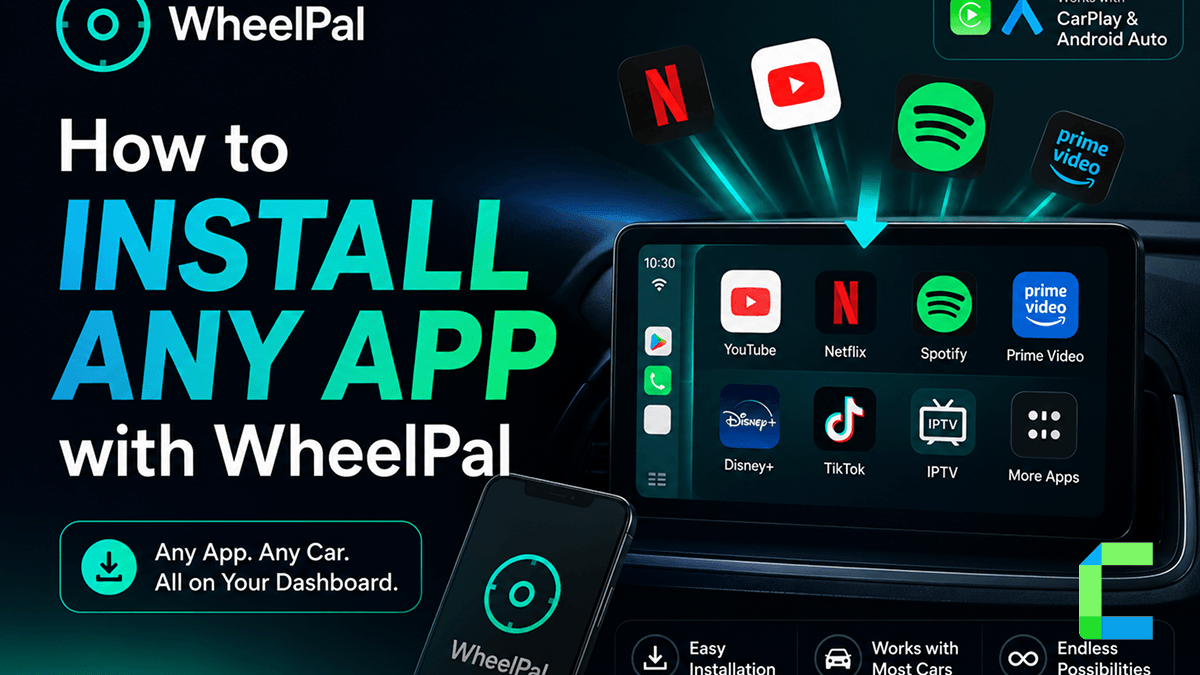
WheelPal
Best for: iPhone users who want to run apps on CarPlay that Apple doesn't officially support.
- Sideload third-party apps like CarTube, CarBridge and NGXPlay directly onto CarPlay
- No jailbreak required
- Expands CarPlay beyond Apple's approved app list without modifying your iPhone
Here's what you can run through WheelPal:
CarTube – Watch YouTube directly on your CarPlay screen. No phone mirroring, no workarounds.
CarBridge – CarBridge requires a jailbreak. Run any iPhone app on your CarPlay display once installed – maps, browsers, streaming apps – if it's on your iPhone, CarBridge can put it on your dashboard.
WheelPal is the starting point. CarTube and CarBridge are the apps that make it worth it.
CarBridgeX – Add Any Apps to Apple CarPlay
CarBridgeX is a small adapter that plugs into a car’s USB CarPlay port. It acts as a bridge between your iPhone and the vehicle’s display. This allows certain apps that normally wouldn’t appear in CarPlay to show up on the screen.
- Plug-and-play installation
- Converts wired CarPlay into wireless connection
- Unlocks additional apps beyond standard CarPlay
- Supports video streaming apps
Pros and Cons of CarbridgeX
| Pros | Cons |
|---|---|
| Simple setup | Requires a car with wired CarPlay |
| Adds more apps to CarPlay | Some apps may run slowly |
| Works with existing car systems | Not officially supported by Apple |
| Affordable compared to replacing a stereo |
CarBridgeX is best for drivers who:
- already have CarPlay
- want more car play app options
- prefer a quick plug-and-play upgrade
Carlinkit Ai Box
The Carlinkit AI Box takes things a step further. Instead of modifying CarPlay, it runs a full Android operating system on the car’s display. In simple terms, your apple carplay screen for car becomes an Android tablet.
- Runs Android OS
- Supports wireless CarPlay and Android Auto
- Access to Google Play Store
- Streaming apps like YouTube and Netflix
- Wi-Fi or SIM card connectivity
| Pros | Cons |
|---|---|
| Install almost any Android app | Slower boot time |
| Works even without an iPhone connected | More expensive than simple adapters |
| Great for entertainment during parking or charging | Performance depends on hardware |
The Carlinkit AI Box is ideal for:
- tech enthusiasts
- drivers who want Android apps in their car
- people with long waiting times in their vehicle
MMB Wireless Carplay And Android Auto AI Box
The MMB AI Box is another Android-powered solution designed mainly for streaming and multimedia. Like Carlinkit, it plugs into the car’s USB CarPlay port and launches an Android interface.
- Android-based operating system
- Streaming apps such as YouTube and Netflix
- Wireless CarPlay support
- Wi-Fi connectivity
Pros and Cons of MMB AI Box
| Pros | Cons |
|---|---|
| Excellent multimedia support | Some compatibility issues with older vehicles |
| Plug-and-play setup | Occasional lag |
| Compatible with many factory systems | Can run warm in hot climates |
The MMB AI Box is best for drivers who:
- want streaming apps
- use their car for long trips
- want entertainment while parked
- Wi-Fi connectivity
Comparison Table of CarPlay Apps Supported Hardware Solutions
| Feature | CarBridgeX | Carlinkit AI Box | MMB Wireless AI Box |
|---|---|---|---|
| Type | CarPlay unlock adapter | Android AI box | Android multimedia box |
| Installation | USB plug-and-play | USB plug-and-play | USB plug-and-play |
| Supported Apps | Extra CarPlay apps | Android apps | Android streaming apps |
| Wireless Support | Yes | Yes | Yes |
| Ease of Use | Very easy | Moderate | Easy |
| Best For | Unlocking apps | Full Android system | Streaming media |
How We Tested These Solutions
Every app in this list was tested on two vehicles,
a 2023 Toyota Camry with wired CarPlay and a 2024 BMW 3 Series with wireless CarPlay both running iOS 26.4. Testing covered real driving conditions including highway, city traffic, and parking. For each app we checked how quickly it appeared on the CarPlay screen after connecting, whether core functions could be completed without touching the phone, and how the interface held up on both a factory head unit and a premium display. Apps that required frequent manual interaction, crashed under normal use, or offered no meaningful advantage over a phone screen were left off the list.
Can You Add Any App to Apple CarPlay?
No. Apple restricts which apps can appear in CarPlay to prevent driver distraction. Only specific categories are allowed, such as:
- navigation
- music
- podcasts
- messaging
However, tools like CarBridgeX or AI boxes can expand functionality.
How Do You Install New Apple CarPlay Apps?
Adding a new apple CarPlay app is simple.
You can also manage apps in:
iPhone Settings → General → CarPlay
Safety Tips When Using CarPlay Apps
Even the best car play app can be dangerous if used incorrectly. Always remember:
- Use voice commands whenever possible
- Avoid typing while driving
- Set navigation before starting the trip
- Let passengers control apps if needed
CarPlay in 2026 looks nothing like it did two years ago. AI assistants, EV charging, real-time parking. The platform has quietly become one of the most useful things in your car. The drivers getting the most out of it aren't the ones with the fanciest head units. They're the ones who took ten minutes to find the right apps.