


Last Updated: October 2026
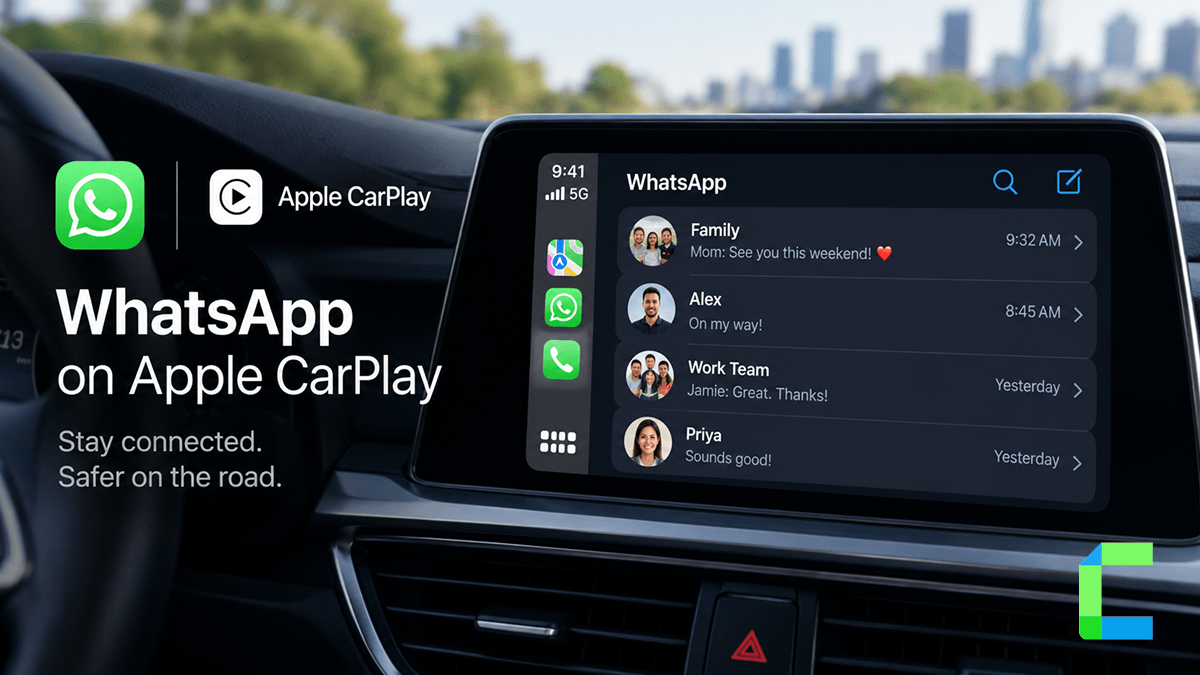
WhatsApp on CarPlay is no longer a Siri-only workaround. There is now a dedicated WhatsApp CarPlay app, yet most online guides still describe the older setup. Many drivers find CarPlay WhatsApp confusing because they do not know what the interface supports, why the app icon might be missing, or why they cannot type replies or browse full conversations while driving. This guide explains what the WhatsApp CarPlay app does, how to add WhatsApp on Apple CarPlay, how to use it hands-free, and how to fix common setup faults. We tested WhatsApp on CarPlay with an iPhone 16 running iOS 27 in a 2022 Honda. It worked with no noteworthy issues.
What the WhatsApp CarPlay App Does in 2026
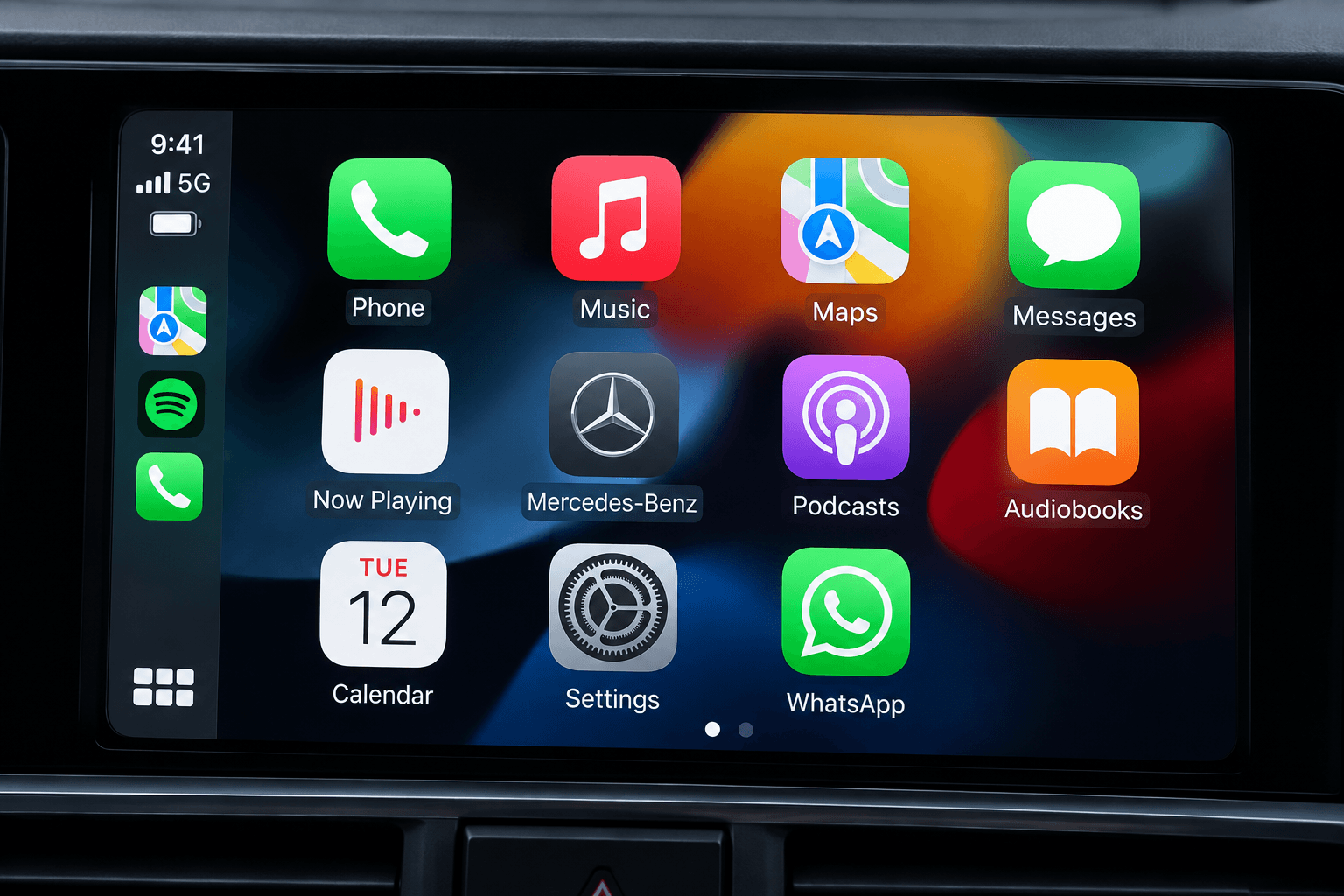
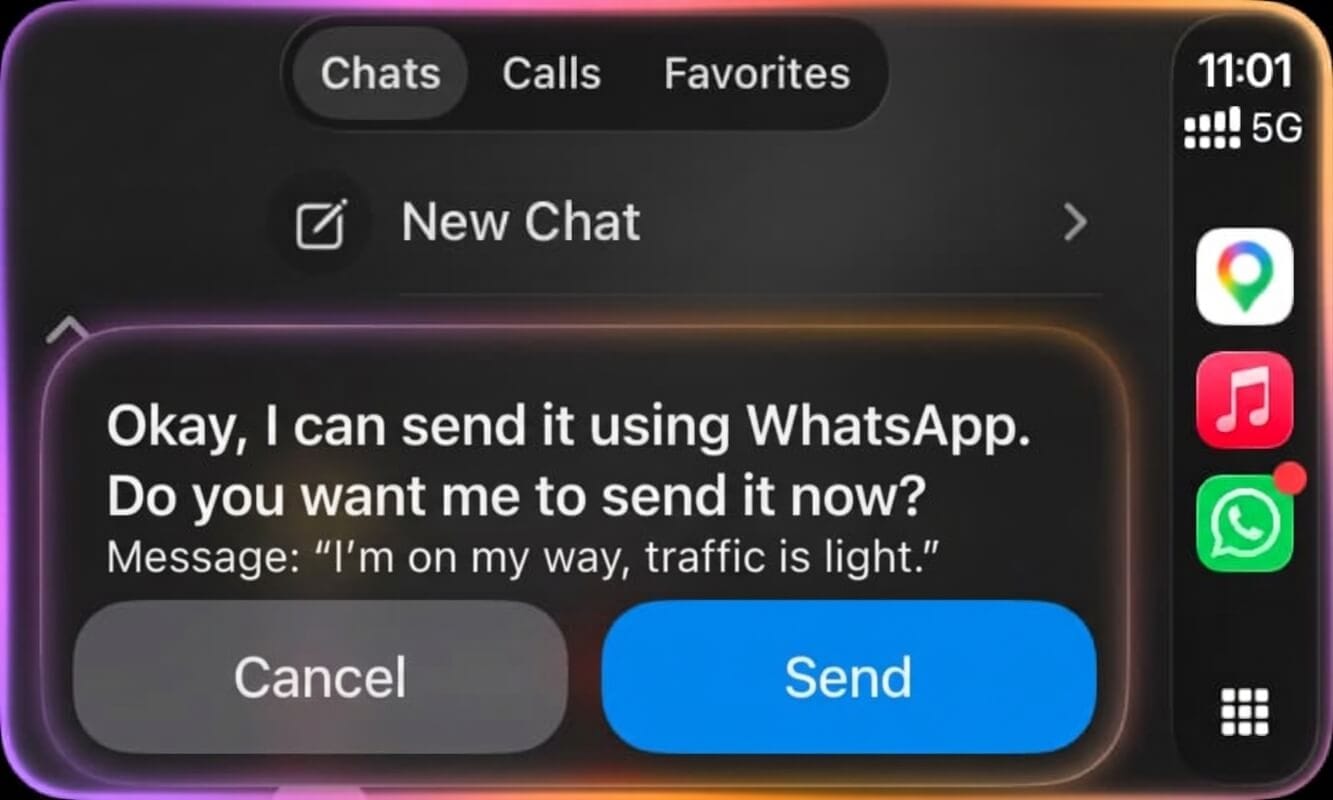
The official WhatsApp CarPlay app provides a dedicated dashboard interface designed for vehicle screens. Before 2026, Apple CarPlay WhatsApp support was limited to basic Siri voice commands without a visual display. WhatsApp for CarPlay arrived as a dedicated interface in April 2026, with WhatsApp version 26.13.74. This WhatsApp CarPlay update introduces three navigation tabs:
| Tab | What it shows | What you can do |
|---|---|---|
| Chats | Recent conversations and unread badges | Listen to unread messages or start dictation |
| Calls | Recent call history | Tap any contact to place a call |
| Favorites | Synced favorite contacts from iPhone | Select a preferred contact to call or message |
Chats
The Chats tab lists your recent conversations on the car screen without showing full message threads. Chats with unopened texts feature a blue dot indicator. Tapping an unread chat prompts Siri to read incoming messages aloud, while selecting a read conversation opens voice dictation.
Calls
The Calls tab displays your recent call log directly on the infotainment display. You can review past calls and tap any contact name to place an outgoing voice call, or manage incoming calls through banner alerts.
Favorites
The Favorites tab mirrors the contacts you have designated as favorites inside WhatsApp on your iPhone. This section provides quick access for reaching your most frequent contacts with minimal distraction.
On 22 July 2026, WhatsApp announced its refreshed CarPlay and Android Auto experience, covering hands-free message playback and replies, calls, call history and favorites.
How to Add WhatsApp to CarPlay
If you are wondering how to get WhatsApp on CarPlay, it takes one app update and a quick settings check.
What you need
Review these baseline requirements before installing the app in your car:
| Requirement | Detail |
|---|---|
| iPhone and iOS | iOS 17 or later. Tested on iPhone 16 with iOS 27 |
| WhatsApp version | 26.13.74 or later |
| Car | A CarPlay vehicle or head unit. Tested in a 2022 Honda |
| Connection | Wired or wireless CarPlay |
| WhatsApp Business | Not supported as of a May 2026 report |
For wider platform updates, explore our breakdown of iOS 27 CarPlay features.
If your car is missing a requirement
Two rows in the table depend on your car, and hardware can fix both:
- No CarPlay in your car: the CarPlay 7 Inch Touchscreen For Any Car adds a CarPlay screen to a car that never had one. It runs standard Apple CarPlay from your iPhone, which is all the WhatsApp app needs.
- Wired CarPlay only: the Carlinkit 5.0 Wireless CarPlay Adapter plugs into your car's CarPlay USB port and makes the connection wireless.
Hardware cannot fix the phone-side rows. If WhatsApp will not update to version 26.13.74, check your iPhone and iOS version first.
Not sure what your car supports? See our list of cars with wireless CarPlay and best ai boxes or the Carplay retrofit article.
Step by step
Here is how to add WhatsApp to CarPlay:
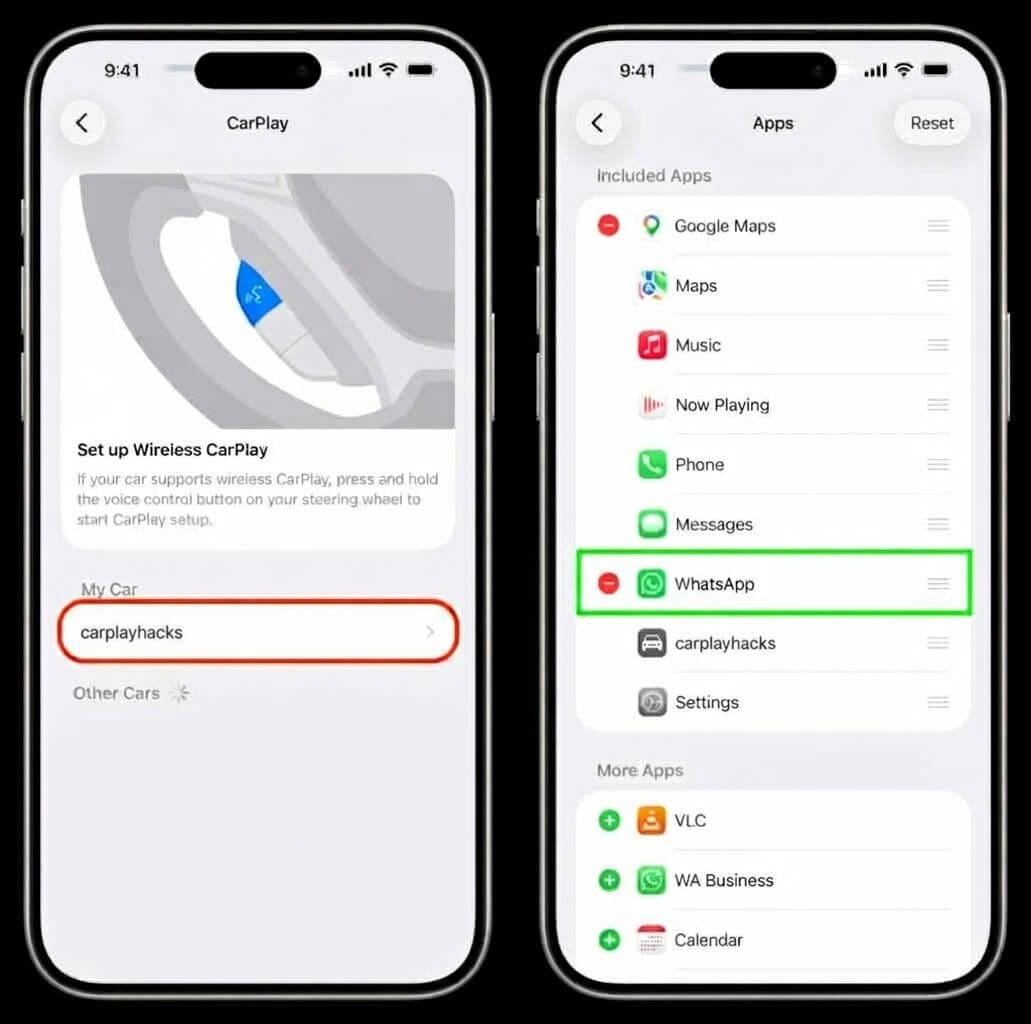
Here is how to use WhatsApp on CarPlay once the app is on your screen.
Send a message
Because CarPlay disables typing while driving, all outgoing messages are composed by voice dictation. You can send a message in two ways: with Siri, or from the Chats tab. Activate Siri using your steering wheel control or voice prompt, and say: "Send a WhatsApp message to Alex" or "Send a WhatsApp message to Sarah saying I am on my way." Alternatively, open the Chats tab and tap any contact without an unread indicator to trigger voice dictation. Speak your message, review the transcription, and confirm by tapping Send or saying "Send."
Listen to unread messages
CarPlay can read your unread WhatsApp messages aloud. Ask Siri: "Read my unread WhatsApp messages." Alternatively, open the Chats tab and tap Unread Messages at the top of the screen, or tap any contact marked with a blue dot indicator to have Siri play the unread texts aloud.
Make and answer WhatsApp calls
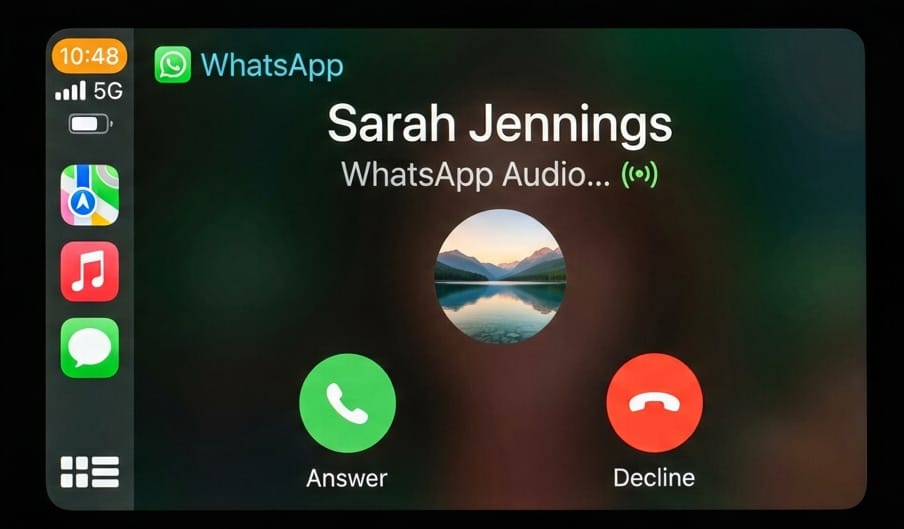
To place an outgoing call, open the Calls tab, select a contact from your recent call history, and confirm the call. You can also tell Siri: "Call David on WhatsApp." Incoming calls appear as banner alerts with accept and decline buttons. Answering a call places an active call pill in the CarPlay Dock. Tapping it displays call controls, including an Add button to bring additional participants into the conversation. To see how Apple handles vehicle calls natively, check out our guide on FaceTime on CarPlay.
What WhatsApp on CarPlay Cannot Do
The WhatsApp CarPlay app has two deliberate limits:
- You cannot type on the vehicle screen. CarPlay provides no on-screen keyboard for WhatsApp, so every message and reply is dictated by voice.
- You cannot open full chat threads. The dashboard interface displays only contact names and unread markers, so you must check WhatsApp on your iPhone once parked to read earlier messages.
CarPlay limits what messaging apps display while driving to reduce driver distraction.
WhatsApp is fully supported through its native App Store application and requires no modifications. For apps that CarPlay does not support natively, WheelPal is the primary option to display them without a jailbreak. WheelPal is a sideloaded app installed as an IPA through AltStore rather than the App Store. For other non-native apps, see our guide on how to add apps to CarPlay without a jailbreak.
WhatsApp CarPlay Not Working? How to Fix It
In our test with an iPhone 16 on iOS 27 in a 2022 Honda, with WhatsApp at version 26.13.74 or later, the app worked with no noteworthy issues. If you find WhatsApp not working on CarPlay, these steps cover the most commonly reported problems, based on published support guidance.
WhatsApp not showing on CarPlay
Symptom: The WhatsApp app icon does not appear on your CarPlay display.
Likely cause: The app is outdated or missing from your CarPlay app list.
Fix:
Siri will not send or read WhatsApp messages
Symptom: Siri does not send or read WhatsApp messages when asked.
Likely cause: Siri permission for WhatsApp is disabled or Siri is turned off.
Fix:
You still see the old Siri-only version
Symptom: The interface lacks the three navigation tabs and only uses voice.
Likely cause: WhatsApp is outdated or you are using WhatsApp Business.
Fix:
More Apps You Can Use on CarPlay
To discover more practical tools for your vehicle dashboard, explore our curated list of the best CarPlay apps. You can add another messaging platform by following our walkthrough on Telegram on CarPlay, or add a voice assistant with our guide on ChatGPT on CarPlay.
If you want to use apps that CarPlay does not support natively, you can Get WheelPal without a jailbreak. WheelPal is installed as a sideloaded IPA through AltStore to bring unsupported apps to your car screen.