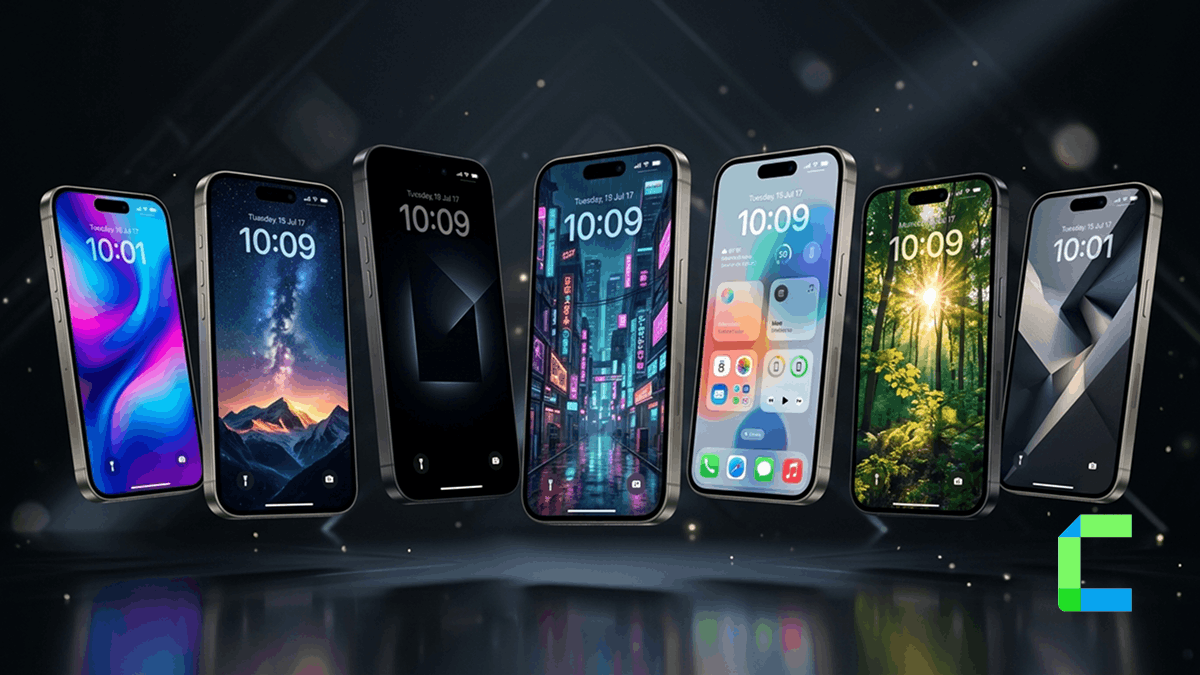
I have changed my iPhone wallpaper more times than I can count. It sounds silly but the right wallpaper can make your phone feel completely new. After testing dozens of options this year I finally found a list that I am actually happy with.
This guide is for anyone who wants a better-looking iPhone screen without spending hours searching. I will share what I personally use and what I think is worth your time.
Quick Answer
What Type of iOS Wallpaper Should You Use?
Before picking any wallpaper you need to know what kind works best for you. I made this mistake when I first got my iPhone. I just picked something that looked pretty in the screenshot but felt wrong once it was on my actual screen.
There are four main types of iPhone wallpaper in 2026:
Live Wallpaper iPhone
These move when you press the screen. They look amazing on the lock screen and feel very premium.
Animated Wallpaper iPhone
Always moving in the background. Great for making your home screen feel alive and dynamic.
Wallpaper 4K iPhone
Sharp high resolution photos that look perfect on ProMotion and OLED screens.
3D Wallpaper iPhone
Creates a parallax depth effect when you tilt the phone. Very cool for a modern look.
My personal favorite is the live wallpaper. Once you try a live background on your iPhone lock screen it is hard to go back to a plain still image. But if you care about battery life a good 4K still photo is the smarter pick.
My Top iOS Wallpaper Picks for 2026
I spent a few weeks trying different wallpapers on my iPhone 15 Pro. Some were beautiful in the app but looked terrible on my screen. Others were simple but looked stunning. Here are my honest picks.
1. Apple's Built-In iOS 18 Wallpapers
This is the easiest place to start. Apple ships every iPhone with a set of wallpapers that are made specifically for your screen size. They are well designed and they match the iOS style perfectly.
If you are still using iOS 16 wallpapers from older updates they still work fine on newer iPhones. But the newer iOS 18 collection has much better depth effects and color accuracy.
Go to Settings → Wallpaper → Add New Wallpaper. Apple gives you dozens of free options including Color, Weather, Astronomy, Emoji and more. No download needed.
2. NASA Astronomy Photos
This is a secret I tell everyone. NASA releases stunning space photos for free every day on their website. Download one and use it as your wallpaper 4K iPhone style. You get a unique wallpaper nobody else will have and it looks incredible on OLED screens.
Live Wallpaper iPhone — Everything You Need to Know
Live wallpapers are one of the coolest features on iPhone. When you press the screen on your lock screen the wallpaper moves. It creates a short animation that feels like a tiny video is living inside your phone.
Here is how to set up a live background iPhone step by step:
Open the Settings app on your iPhone and scroll down to tap Wallpaper.
You will see all your options here. Look for options labeled "Live" in the collection.
Any Live Photo you took with your iPhone camera can be used as a live background iPhone. Look for the icon that looks like three circles inside each other.
Live wallpapers only work on the lock screen. On the home screen they stay as a still image.
Press and hold the lock screen. If the wallpaper animates you set it up correctly.
One thing I learned the hard way: live wallpapers use a bit more battery. If your battery already drains fast, I would stick to a nice still photo instead.
iPhone 14 Pro Max Wallpapers — What Looks Best?
The iPhone 14 Pro Max has one of the best screens ever put in a phone. It is big it is bright and it has ProMotion 120Hz which makes everything look silky smooth. This means wallpapers look even better on it than on most phones.
For the best-looking iPhone 14 Pro Max wallpapers you want images that are at least 1290 × 2796 pixels. Anything smaller will look blurry or stretched. Always download the largest size available when saving from a website.
The OLED display on this phone also makes dark wallpapers look incredible. A deep black space photo or a dark minimal design will look richer on this screen than on any LCD iPhone.
People also search:
Live vs Still vs Animated: Which Is Right for You?
I know it is hard to choose. Here is a simple breakdown so you can decide fast:
| Feature | Live Wallpaper | Animated | 4K Still |
|---|---|---|---|
| Moves on screen | ✔ On press | ✔ Always | ✘ No |
| Works on home screen | ✘ Lock only | ✔ Yes | ✔ Yes |
| Battery friendly | ⚡ Moderate | ✘ Uses more | ✔ Best |
| Free options available | ✔ Yes | ✔ Yes | ✔ Yes |
| Looks best on OLED | ✔ Yes | ✔ Yes | ✔ Yes |
| Easy to set up | ✔ Easy | Medium | ✔ Easiest |
My honest recommendation: start with a 4K still if you are new to this. Once you get comfortable try a live wallpaper on your lock screen. Animated wallpapers are fun, but they are really for people who want their phone to feel like a game.
Apple Wallpaper iPhone — The Official Collection
People often overlook what Apple already gives you for free. The apple wallpaper iPhone collection inside your settings is actually really good. Each iOS update brings new designs, and they are all made specifically for iPhone screens.
My favorite from the official collection is the Astronomy wallpaper. It shows a live view of Earth from space based on your real location and time. It updates throughout the day so your wallpaper is always slightly different. I think that is one of the cleverest wallpaper ideas Apple has ever made.
⚡ Use dark wallpapers on OLED iPhones (iPhone X and later) to save battery. Black pixels use almost no power on OLED screens.
⚡ If your icons look messy over a busy wallpaper try a blurred version. iOS lets you blur the wallpaper slightly in the settings.
⚡For the sharpest look download images in PNG format not JPEG. JPEG compresses images and can make them look soft.
⚡Use different wallpapers for the lock screen and home screen. A bold live wallpaper on the lock screen and a simple minimal image on the home screen works great.
⚡The depth effect in iOS uses the wallpaper behind your app icons. Pick wallpapers with clear sky or open space in the upper area where icons sit.
⚡Take your own Live Photos outside and use them as wallpapers. A live photo of the ocean or a campfire looks very personal and beautiful.
3D Wallpaper iPhone — The Parallax Effect
The 3D wallpaper effect on iPhone is called parallax. When you tilt your phone the wallpaper moves slightly behind your icons. It creates a sense of depth that makes your screen look like it has layers.
iOS has this turned on by default. But not all wallpapers show it well. To get the best parallax 3D effect choose wallpapers that have a clear background layer and a foreground element. For example, a mountain range with clouds works better than a flat color pattern.
If you want even stronger 3D effect, try wallpaper apps like Walli or Backdrops. They have collections specifically designed for the parallax effect on iPhone.
My Final Thoughts
Changing your iPhone wallpaper is one of those small things that makes a big difference. It takes five minutes and it can make your phone feel brand new.
If I had to give you just one tip it would be this: stop using the default wallpaper that came with your iPhone. Open Settings right now and try the Astronomy wallpaper. I think you will be surprised how good it looks.
And if you want something more personal take a Live Photo of your next sunset or your morning coffee and set that as your lock screen. That is what I did last month and I still smile every time I pick up my phone.
The best ios wallpaper is not the one that got the most likes online. It is the one that makes you happy every time you look at your screen.