CarPlayEnable is one of the best solutions, if you want to run any app on CarPlay, but not if your requirement is to watch Netflix or Hulu on the CarPlay screen.
CarPlayEnable is a tweak, which supports only iOS 14 versions, and above, it does not support DRM content from apps such as Netflix, Hulu, HBO, etc. but supports all other apps.
CarPlayEnable doesn't support any other iOS versions other than iOS 14. If you are searching for CarPlayEnable to watch videos, we have recommended some alternative solutions below.
Why is CarPlayEnable?
CarPlayEnable is an alternative to CarBridge. It allows running unsupported applications on Apple CarPlay. It was developed by Ethan Arbuckle.
CarPlay supports selected iOS third-party apps like Phone, Messages, Apple Maps, Apple Music, etc.
But for safety reasons, video apps are not allowed with Apple CarPlay. But someone can pass the time while their car is parked by watching videos. Therefore, CarPlayEnable is a valuable solution for car lovers.
The following are some of the CarPlayEnable supported CarPlay Apps.
- Chrome
- VLC
- IP Cam Viewer Pro
- Zattoo
- YouTube
- Disney+
- Plex
- Xbox
Another standout feature of this amazing tweak is its ability to keep your screen running while your phone is locked. However, you have to keep in mind that you have to connect your phone wired/ wirelessly with CarPlay throughout the whole time.
Download CarPlayEnable Cydia Tweak
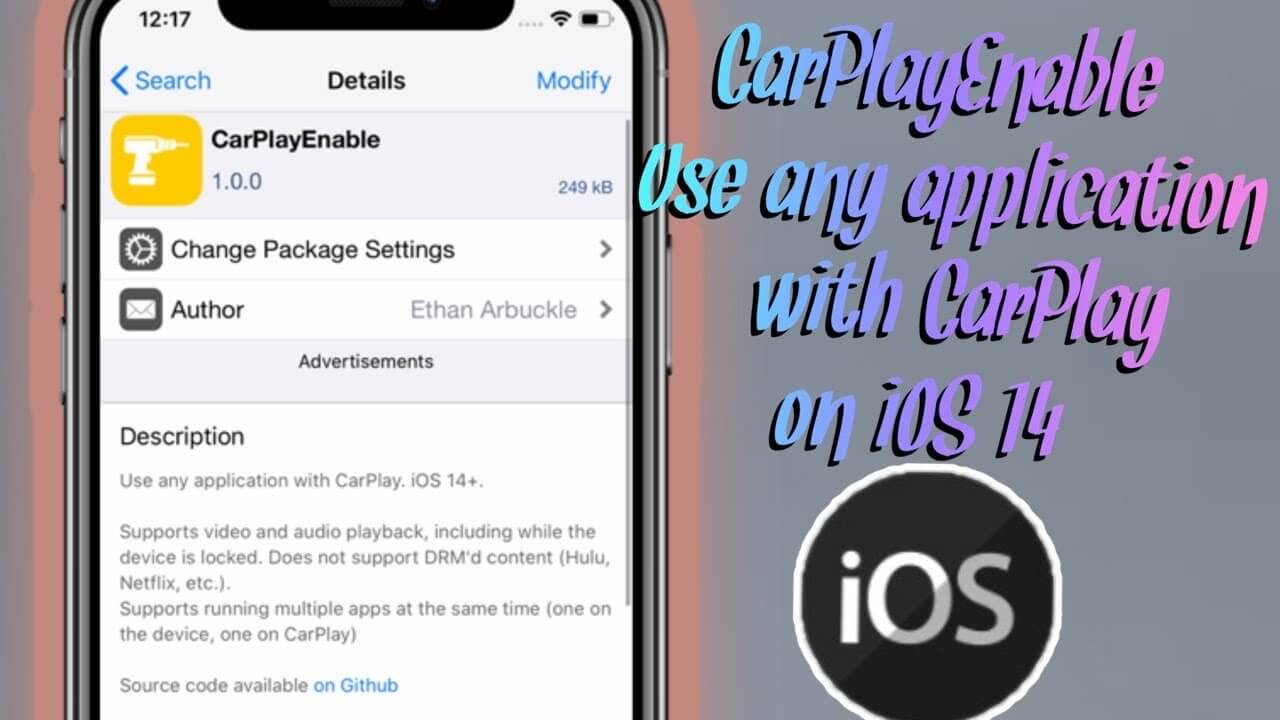
If you need to download this CarPlayEnable tweak, You can get it from the Github repo and CarPlayEnable is available to download for free.
It’s compatible with jailbroken iOS devices running on iOS 14. CarPlayEnable GitHub repo provides all the details of the steps for downloading CarPlayEnable.
Disclaimer: Jailbreaking iPhones may cause warranty voids and security concerns. If you are willing to jailbreak iPhone, please do it at your own risk.
Let’s Download and enjoy!!!
How to Add Any App on CarPlay with CarPlayEnable
You can choose your favorite apps to display and dock alignment.
- Go to Settings
- You can see the tweak CarPlayEnable shows up in Settings with the other jailbreak apps.
- Click on it, and select "Add / Remove Apps".
- Now you can see the added apps in the display.
Best CarPlayEnable Alternatives
If you like to know some alternatives and solutions for CarPlay, we have listed some solutions here for you to select what is compatible with you.
WheelPal
Wheelpal is a third-party app store and you can install any apps (CarPlay++, CarMovie, CarPlay Cast, etc.) through the wheelpal
CarBridge
CarBridge is another alternative for CarPlayEnable. But some visual-based apps are not allowed with CarBridge. (like Netflix, HBO, Hulu)
CarBridge enables customizing your favorite apps like YouTube, Facebook, Twitter, Messenger, Safari etc.
But CarBridge also needs a jailbroken iPhone to enable these non-official apps on CarPlay. The CarBridge app is not compatible with iOS 18.5 latest version due to the unavailability of jailbreak tools.
If you are interested in CarBridge, we have provided all the information about CarBridge. If you are looking for ways to install Carbridge with Jailbreak, find all the details on this linked website
NGXPlay
Unlike the CarPlayEnable or CarBridge, NGXPlay enable you with any apps of your favoration. It’s a great advantage for car lovers. NGXPlay is also required jailbroken iPhone, and it supports iOS 14.8.1 to below versions.
Get more information about NGXPlay or visit Official NGXPlay Website.
Airaw
Airaw on CarPlay is another popular tweak that you can use for iOS 14 CarPlay customization.
CarPlay++
CarPlay++ is another jailbreak tweak that you can use to customize Apple CarPlay. It supports iOS 13 and iOS 14 and gives more features to your CarPlay Screen.
Note: Jailbreaking iPhone may cause warranty voids and security concerns, if you are willing to jailbreak iPhone do it at your own risk.
CarPlay Cast
Stream Youtube, Chrome and more on CarPlay with CarPlay Cast. Perfect for iOS 14 users comfortable with jailbreaking. On a side note, CarPlay Cast cannot play Netflix, Hulu or DRM projected apps due to legal restrictions. For more information about CarPlay Cast visit the official site of CarPlay Cast.
Follow these steps to install CarPlay Cast:
- Jailbreak Your iPhone (If Not Done Already)
Your iPhone must be jailbroken to install CarPlay Cast. If you haven't jailbroken yet, you'll need to use tools compatible with iOS 14. This is the most complex step - search for "iOS 14 jailbreak" for current methods.
2. Download CarPlay Cast for Free
Get the latest version from the official GitHub repository. It's completely free and open source. Look for the download link below.
3. Install and Configure
Once installed, go to Settings > CarPlay Cast on your iPhone. Select "Add/Remove Apps" and choose which applications you want to appear on your CarPlay screen.
4. Connect to Your Car and Test
Connect your iPhone to your CarPlay system (wired or wireless). Your selected apps should now appear on the CarPlay interface. Test with YouTube or another supported app!
Add Any App on CarPlay without Jailbreak (Hardware Upgrade)
As we discussed, CarPlayEnable is a jailbreak tweak. So If you are not interested in jailbreaking your iPhone or you do not have a jailbroken device, Hardware solution is the suitable and best alternative for CarPlayEnable.

Carlinkit wireless AI box
Carlinkit is a famous brand. Carlinkit wireless AI box allowed for any apps. Even CarPlay DRM contents. like YouTube, Netflix, Hulu, and HBO.
Compatible Device:
iOS (iOS 10 to iOS 18 all subversions, including iOS 18.5) and Android Phones (Android 11 or above)
Compatible Cars: 2016-2025 Cars
Prerequisites: Compatible with models with built-in CarPlay and Android Auto
- Support for multi-platforms
- Built-in 128 GB ROM
- The adapter comes with a USB cable
- Can watch video streams like YouTube, Netflix, Hulu and etc
- Fast set up and reliable
- It's easy to install, and after connecting for the first time, it will automatically connect the next time.