Last Updated: July 2026
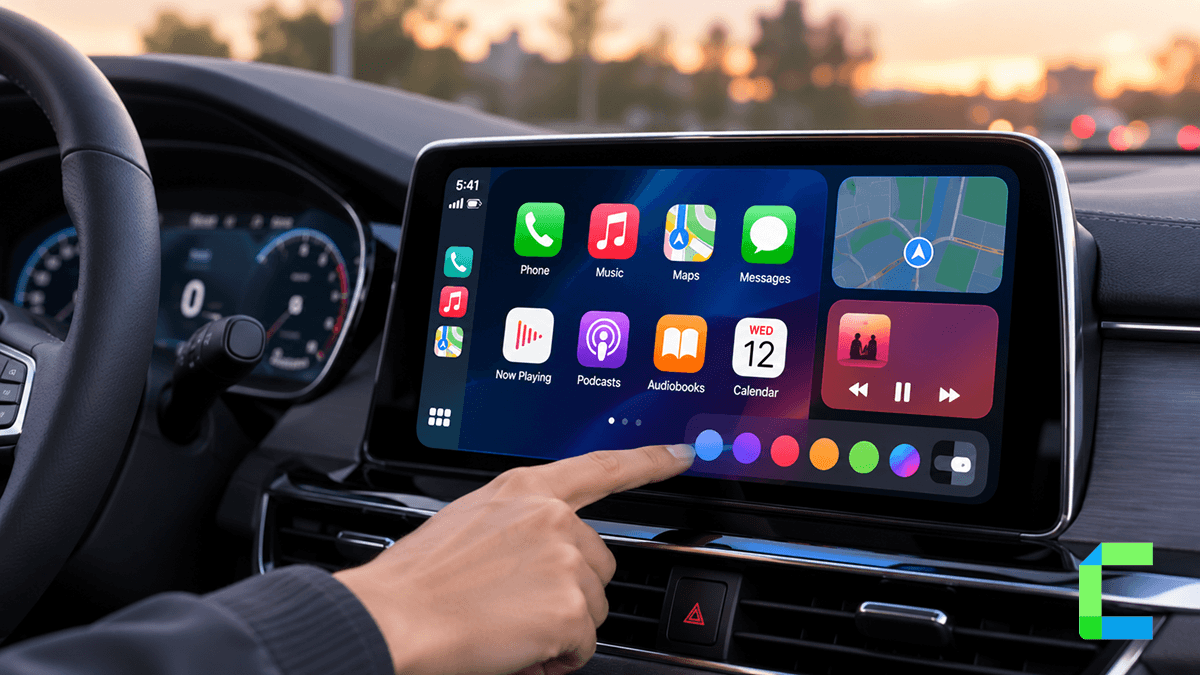
If you have ever felt that your dashboard looks a bit too much like everyone else's, you are likely looking for carplay customization. Most drivers start this journey wanting one of two things: they either want to change the visual aesthetic, such as the wallpaper and icon layout, or they want to run restricted apps like YouTube, Netflix, and TikTok. It is a common mistake to assume a single tool can do both, but the reality is that the method you choose depends entirely on your specific goals and your iPhone's iOS version. This guide breaks down every verified method for carplay customization available in 2026, from simple layout tweaks to full multimedia streaming.
Which Kind of Customization Do You Want?
Before downloading any software, you must decide which of the two primary paths you want to take.
Path 1: Customizing How It Looks
This path is for users who are satisfied with the standard Apple apps but want to change the grid layout, hide app labels, or set a custom photo as a wallpaper. These tools often require deeper system access to modify the interface beyond Apple's default restrictions.
Path 2: Customizing What It Runs
This path is for users who want to turn their car into a mobile cinema. If your goal is to watch YouTube or Netflix while parked, you are looking for bridging or mirroring tools. These solutions involve software tweaks or physical hardware adapters to bypass Apple's safety restrictions on video content.
Customizing How CarPlay Looks
If your primary goal is a visual overhaul, you have two main options for carplay customization depending on whether or not you are willing to jailbreak your device.
CarPlay++
CarPlay++ is a jailbreak tweak that requires your iPhone to be jailbroken to function. Known in the community as CarPlay Plus, this tool is specifically designed for users who want to modify their carplay dashboard layout for granular control over the interface. It was released to help users break free from the restrictive 2x4 icon grid that comes standard with the Apple interface.
With CarPlay++, you can transform your home screen layout to show more apps at once. You can choose between two or three rows and four or five columns. During our testing, we performed a straightforward install on our test device and verified the layout changes were applied successfully.
Key features of CarPlay++ include:
- Wallpaper Freedom: You can customize CarPlay wallpaper by setting any image from your photo library as your home screen background.
- Label Customization: You can hide labels from app icons or customize the icon label background color for a cleaner aesthetic.
- Scaling Options: The tool includes adjustable screen scaling to ensure the customized layout fits properly on your specific head unit.
Note that CarPlay++ support currently peaks at iOS 14.5 and has not been updated for newer versions like iOS 17 or iOS 26 due to the lack of stable jailbreaks for those versions.
Nugget iOS CarPlay Customization
Nugget ios carplay is an open source customization tool that does not require a jailbreak to apply system level tweaks. Unlike jailbreak tweaks that run as background processes, Nugget is a computer based application for Mac, Windows, or Linux that uses system exploits to unlock hidden features.
Nugget is a powerful carplay customization tool supported on iOS 17 to 18.1.1, with partial support for iOS 18.2. It allows you to modify aspects of the system that are typically hardcoded. For example, it can enable a "Clean Look Mode" for the status bar, which hides less common elements to reduce clutter. It can also add a custom "Lockscreen Footnote," allowing you to place a personal note just below the "Swipe Up" text.
For visual customization, Nugget is known for its ability to apply animated video wallpapers through its PosterBoard feature. During our setup, we found the process required Python 3.8 and a stable USB connection to a PC.
Check out the Nugget iOS setup guide for a full walkthrough.
Comparison: Visual Customization Tools
The following table compares the leading options for visual carplay customization.
| Feature | CarPlay++ | Nugget iOS |
|---|---|---|
| Jailbreak Required? | Yes | No |
| Primary Use | Layout and Labels | Wallpapers and Status Bar |
| iOS Compatibility | iOS 13 to 14.5 | iOS 17 to 18.1.1 (partial 18.2) |
| Device Required | iPhone Only | iPhone + PC/Mac |
| Cost | Free | Free |
Adding Apps and Streaming to CarPlay
If you are less concerned with how the menus look and more concerned with running apps like YouTube and Netflix, you need a carplay customization solution focused on app bridging.
WheelPal CarPlay App Portal
WheelPal carplay is a comprehensive app that helps you add apps to carplay even if they are not officially supported. It does not require a jailbreak, making it the most versatile tool in this guide. It acts as a portal for both software tweaks.
WheelPal carplay supports a wide range of versions, from iOS 9 all the way to iOS 26. For users on older versions, it provides step by step guides to install software tweaks like CarBridge or NGXPlay.
The installation process involves downloading a configuration profile through the Safari browser, which you then trust in your iPhone's settings.
Once the profile is trusted, the WheelPal app icon appears on your home screen, providing access to a library of apps you can add to CarPlay.
CarBridge CarPlay Bridge
Carbridge carplay is a jailbreak tweak that requires a jailbroken iPhone to run full iPhone apps on your car's display. It is widely considered a top choice for app bridging because it allows you to run any app on the car, with the exception of some DRM protected content like Hulu.
CarBridge supports iOS 13 through iOS 16.7.7. One of its requirements is that your iPhone must remain unlocked while the bridged app is running on the car screen. During our testing on an iPhone 6s running iOS 15, we verified the process and found no issues with the download or installation.
For more, see the CarBridge install guide.
NGXPlay iOS
Ngxplay ios is a jailbreak tweak that adds any app to CarPlay and is primarily used for older iOS versions. Specifically, the original NGXPlay supports iOS 8 through 10, while NGXPlay11 supports iOS 11 and 12.
Like CarBridge, ngxplay ios allows you to control and view your phone directly from your car's touchscreen. It is a free tool available through the BigBoss repository on Cydia. During our testing with an iPhone 6s running iOS 10, we found the installation took slightly longer than other modern tweaks but functioned as expected on the device.
Read our NGXPlay guide for setup instructions.
CarTube
CarTube is a software solution that allows you to watch YouTube on CarPlay without a jailbreak on specific older iOS versions. It is the only software based solution that achieves this without needing a full jailbreak, but its compatibility is strictly limited to iOS 8 through iOS 15.7.7.
CarTube acts as an alternative YouTube client. It includes features like ad blocking and the ability to skip sponsored segments. However, it is currently limited to 360p video resolution. During our testing on an iOS 15.7.7 device, we verified the installation through WheelPal.
Comparison: App and Streaming Tools
This comparison highlights the core differences between tools used for app based carplay customization.
| Tool | Jailbreak Required? | Primary Focus | Compatibility |
|---|---|---|---|
| WheelPal | Optional | Portal for all apps | iOS 9 to 26 |
| CarBridge | Yes | Full app bridging | iOS 13 to 16.7.7 |
| NGXPlay | Yes | Legacy app support | iOS 8 to 12 |
| CarTube | No | YouTube Only | iOS 8 to 15.7.7 |
Solutions for iOS 16+ or Non-Jailbroken Users
If you are running a modern iPhone and you are not jailbroken, software tweaks like CarBridge will not work for you. For users on modern iPhones, the most reliable path for carplay customization is a CarPlay AI Box.
An AI Box is a self-contained computer that plugs into your car's factory wired USB port. Unlike a simple wireless adapter, an AI box runs its own independent Android operating system. Because it operates independently of your iPhone, it allows you to download any app from the Google Play Store, including Netflix, YouTube, Hulu, and TikTok, directly to your existing infotainment screen. This is the most effective way to get video streaming on the latest iOS 26 builds without a jailbreak.
If your car doesn't have factory wired CarPlay at all, a wireless CarPlay adapter solves a different problem: it gets CarPlay onto your screen in the first place, without adding streaming apps on top. And if you'd rather change what you see than what you can run, a CarPlay HUD projects navigation and key info onto your windshield, a different kind of customization entirely, focused on where you look rather than what's on the dashboard.
See CarPlay AI Box options for the latest hardware rankings.
Want more apps, not just a new look? WheelPal adds apps CarPlay normally blocks, with no jailbreak. See our full guide to CarPlay tweaks that work without a jailbreak.
Full Compatibility Master Snapshot
The following table summarizes every tool mentioned in this guide to help you choose the right one for your carplay customization project.
| Tool Name | Jailbreak Required | Supported iOS Versions | Primary Function |
|---|---|---|---|
| WheelPal | Optional | iOS 9 to iOS 26 | Primary app portal |
| CarPlay++ | Yes | iOS 13 to iOS 14.5 | Layout and aesthetic |
| Nugget iOS | No | iOS 17 to 18.1.1 (partial 18.2) | Wallpapers and tweaks |
| CarBridge | Yes | iOS 13 to 16.7.7 | Runs full iPhone apps |
| NGXPlay | Yes | iOS 8 to iOS 12 | Legacy app support |
| CarTube | No | iOS 8 to iOS 15.7.7 | YouTube streaming only |
Achieving the perfect carplay customization is entirely possible if you match the right tool to your iPhone's version. If you are on an older device and willing to jailbreak, CarBridge and CarPlay++ offer the most seamless experience for both looks and apps. If you are on a newer device and want to keep your warranty intact, Nugget iOS is your best bet for visual changes, while a hardware AI Box is the only way to get high quality video streaming.
Frequently Asked Questions Related to CarPlay Customization
Always remember to use these tools responsibly and only access video content when your vehicle is safely parked.