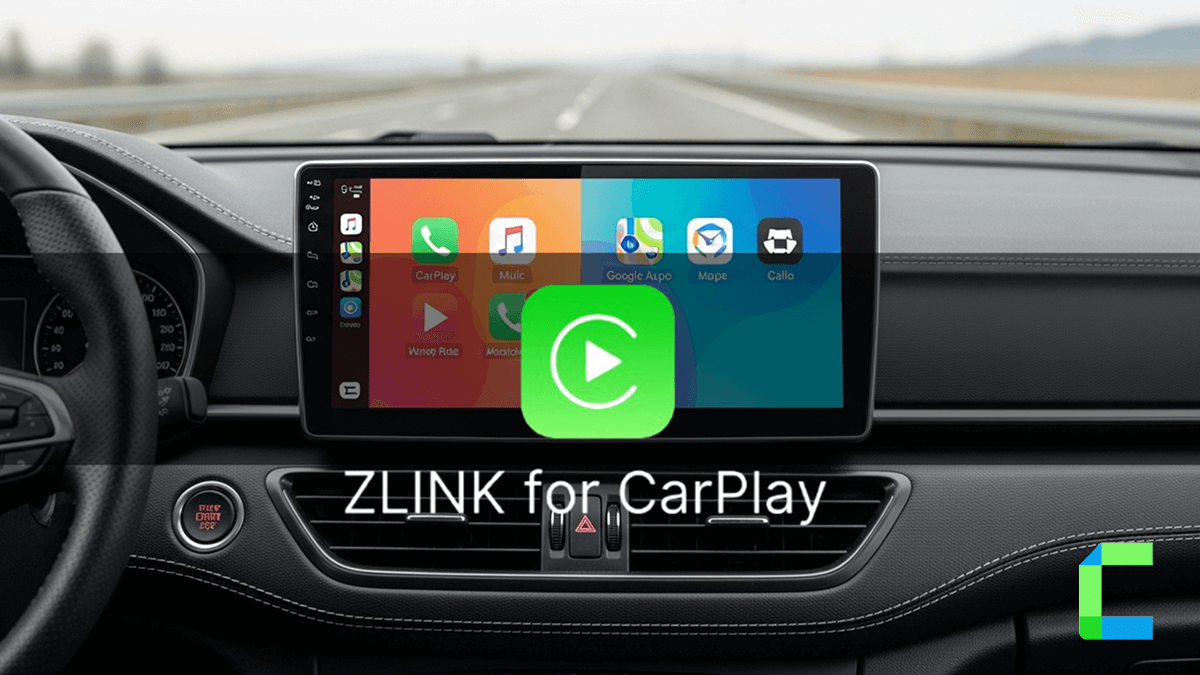
CarPlay is officially Here are the best methods to play YouTube CarPlay in 2026. Some of these methods are supported by the iOS 18.5 and up-to-date versions. Some of these methods require jailbreaking and some do not require jailbreaking of your iPhone.
Here is the list of available methods to play CarPlay YouTube. We are recommending these products only for parked vehicles and passenger entertainment only. Please be responsible driver and respect to local rules and CarPlay user guides.
Disclaimer: Watching videos in the car while driving is dangerous. Make sure you watch video content and other distractions responsibly. Use these while the vehicle is parked.
Quick Answers
1. CarBridgeX
2. Carlinkit TBox
3. MMB AI Box
YouTube on Apple CarPlay With Jailbreak
1. WheelPal
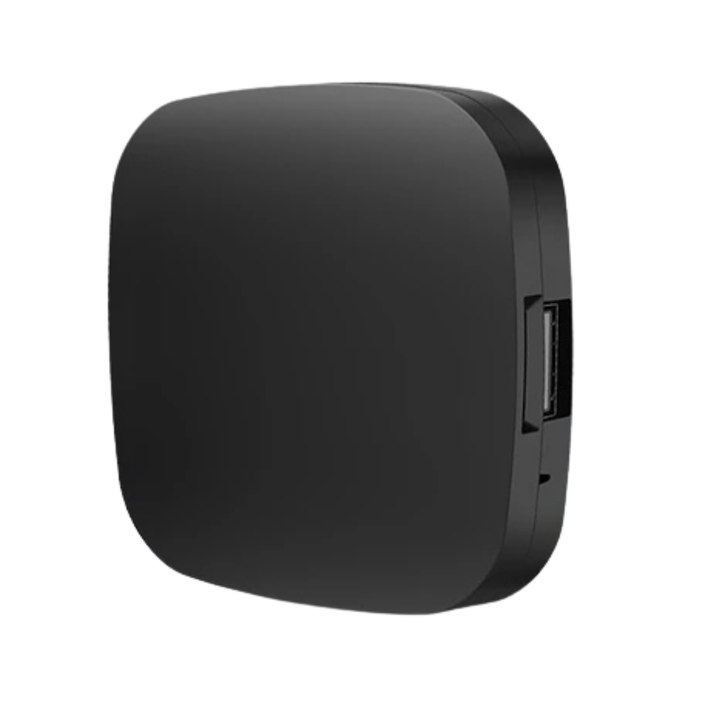
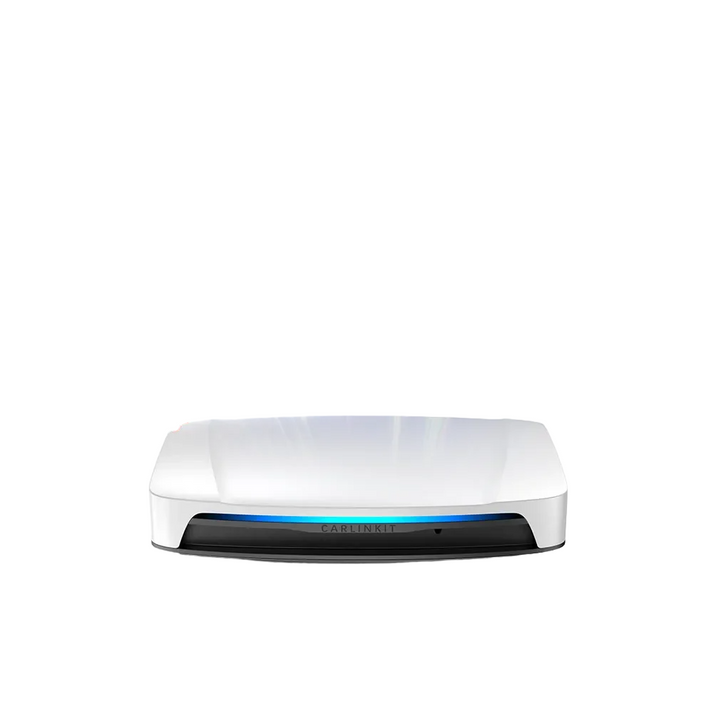

Comparison Between AI Adapters, Cartube app & WheelPal App
| Method | Jailbreak Required? | iOS Compatibility | Supports Other Streaming Apps? | Pros | Cons | Best For | |
|---|---|---|---|---|---|---|---|
| CarPlay Streaming Adapter | ❌ No | All iOS Versions | ✅ Yes (Netflix, Hulu, etc.) | Easy setup, No jailbreak, Wireless CarPlay | Requires hardware, May lag | Best for non-tech users | |
| CarTube App | ❌ No | iOS 14 - iOS 15.6 | ❌ No (Only YouTube) | No jailbreak, Skips ads | Limited iOS support | Best for users who don’t want jailbreak | |
| WheelPal App | ✅ Yes | iOS 9 - iOS 17.6.1 | ✅ Yes (Netflix, Prime Video, etc.) | Supports all streaming apps,Easy use | Requires jailbreak, May void warranty | Best for advanced users |
Can You Watch YouTube on CarPlay?
Apple has restricted the streaming of video content and highly engaging activities in CarPlay due to the safety of the driver. Therefore, Apple has not given the default permission to watch YouTube video content in a car. But with the lifestyle changes, car owners need to entertain their family or clients during long ride, who in passenger seats.
There are the best legal ways to overcome these restrictions. Here I have carefully listed the best software and hardware solutions to bypass these CarPlay in-car restrictions.
Car: Honda Civic
Phone: iPhone 16
iSO version: iSO 18
Test Date: April 04, 2026
Tested Methods: Carlinkit TBox, MMB AI Box,
Watch YouTube on Apple CarPlay Without Jailbreak
There are many Video Streaming Adapters available on the market for watching YouTube in CarPlay. On my experience I have mention 3 of best product that can use for play YouTube without jailbreak. This AI boxes are little bit expensive, but all products can update through OTA. So, you don’t need to perch new product for new updates and new feature.
1.CarBridge X
Carbridge X helps to convert your wired CarPlay into Wireless entertainment hub.Compatible with 98% of vehicle availbel with factory wired CarPlay.Compatible with iPhone 6 and above versions (iSO 10.0+)
CarBridgeX
- Plug & Play easy isntallation
- USB cable Connection (USB-C)
- You can install more favourite apps, such as YouTube, Netflix, TikTok, Hulu, Spotify, Disney+, Prime Video etc to watch on Apple Carplay
- Auto Connect after first connection
1.Carlinkit AI TBox
Carlinkit is a famous brand of AI boxes that enable YouTube in CarPlay. It is set up with 8 GB of RAM and 128 GB of storage and enables lag-free Wi-Fi connections. The Carlinkit AI box supports multiple platforms. It's super cool for Car lovers. Also, this handles all the preloaded applications like YouTube, Hulu, Netflix, etc.
Carlinkit AI TBox
Simply converting you wired CarPlay into wireless and you can play video streaming apps on your CarPlay with this adapter
- Support for multi-platforms
- USB cable (USB- A & USB-C)
- You can install more favourite apps, such as YouTube, Netflix, TikTok, Hulu, Spotify, Disney+, Prime Video etc to watch on Apple Carplay
- Fast and reliable
Compatible iPhone Models:
Compatible iOS Versions:
| Series Number | Compatible Version |
|---|---|
| iOS 18 | iOS 18, iOS 18.0.1, iOS 18.1, iOS 18.1.1, iOS 18.2, iOS 18.2.1, iOS 18.3, iOS 18.3.1, iOS 18.3.2, iOS 18.4, iOS 18.4.1, iOS 18.5 |
| iOS 17 | iOS 17, iOS 17.0.1, iOS 17.0.2, iOS 17.0.3, iOS 17.1, iOS 17.1.1, iOS 17.1.2, iOS 17.2, iOS 17.2.1, iOS 17.3, iOS 17.3.1, iOS 17.4, iOS 17.4.1, iOS 17.5, iOS 17.5.1, iOS 17.6, iOS 17.6.1, iOS 17.7, iOS 17.7.1, iOS 17.7.2, iOS 17.7.6, iOS 17.7.7 |
| iOS 16 | iOS 16, iOS 16.0.1, iOS 16.0.2, iOS 16.0.3, iOS 16.1, iOS 16.1.1, iOS 16.1.2, iOS 16.2, iOS 16.3, iOS 16.3.1, iOS 16.4, iOS 16.4.1, iOS 16.5, iOS 16.5.1, iOS 16.6, iOS 16.6.1, iOS 16.7, iOS 16.7.1, iOS 16.7.2, iOS 16.7.3, iOS 16.7.4, iOS 16.7.5, iOS 16.7.6, iOS 16.7.7, iOS 16.7.8, iOS 16.7.9, iOS 16.7.10, iOS 16.7.11 |
| iOS 15 | iOS 15, iOS 15.0.1, iOS 15.0.2, iOS 15.1, iOS 15.1.1, iOS 15.2, iOS 15.2.1, iOS 15.3, iOS 15.3.1, iOS 15.4, iOS 15.4.1, iOS 15.5, iOS 15.6, iOS 15.6.1, iOS 15.7, iOS 15.7.1, iOS 15.7.2, iOS 15.7.3, iOS 15.7.4, iOS 15.7.5, iOS 15.7.6, iOS 15.7.7, iOS 15.7.8, iOS 15.7.9, iOS 15.8, iOS 15.8.1, iOS 15.8.2, iOS 15.8.3, iOS 15.8.4 |
| iOS 14 | iOS 14, iOS 14.0.1, iOS 14.1, iOS 14.2, iOS 14.2.1, iOS 14.3, iOS 14.4, iOS 14.4.1, iOS 14.4.2, iOS 14.5, iOS 14.5.1, iOS 14.6, iOS 14.7, iOS 14.7.1, iOS 14.8, iOS 14.8.1 |
| iOS 13 | iOS 13, iOS 13.1, iOS 13.1.1, iOS 13.1.2, iOS 13.1.3, iOS 13.2, iOS 13.2.2, iOS 13.2.3, iOS 13.3, iOS 13.3.1, iOS 13.4, iOS 13.4.1, iOS 13.5, iOS 13.5.1, iOS 13.6, iOS 13.6.1, iOS 13.7 |
| iOS 12 | iOS 12, iOS 12.0.1, iOS 12.1, iOS 12.1.1, iOS 12.1.2, iOS 12.1.3, iOS 12.1.4, iOS 12.2, iOS 12.3, iOS 12.3.1, iOS 12.3.2, iOS 12.4, iOS 12.4.1, iOS 12.4.2, iOS 12.4.3, iOS 12.4.4, iOS 12.4.5, iOS 12.4.6, iOS 12.4.7, iOS 12.4.8, iOS 12.4.9, iOS 12.5, iOS 12.5.1, iOS 12.5.2, iOS 12.5.3, iOS 12.5.4, iOS 12.5.5, iOS 12.5.6, iOS 12.5.7 |
| iOS 11 | iOS 11, iOS 11.0.1, iOS 11.0.2, iOS 11.0.3, iOS 11.1, iOS 11.1.1, iOS 11.1.2, iOS 11.2, iOS 11.2.1, iOS 11.2.2, iOS 11.2.5, iOS 11.2.6, iOS 11.3, iOS 11.3.1, iOS 11.4, iOS 11.4.1 |
| iOS 10 | iOS 10, iOS 10.0.1, iOS 10.0.2, iOS 10.0.3, iOS 10.1, iOS 10.1.1, iOS 10.2, iOS 10.2.1, iOS 10.3, iOS 10.3.1, iOS 10.3.2, iOS 10.3.3, iOS 10.3.4 |
Prerequisites:
Compatible with models with built-in CarPlay
Here you can further be informed by Carlinkit official site
2. MMB AI Box
MMB is a famous brand of AI boxes that enable video streaming on CarPlay. It is set up with 8 GB of RAM and 128 GB of storage and enables lag-free Wi-Fi connections. The MMB AI box supports multiple platforms. Also, this handles all the preloaded applications like YouTube, Hulu, Netflix, etc.
MMB AI Box
Simply converting you wired CarPlay into wireless and you can play video streaming apps on your CarPlay with this adapter
- Support for multi-platforms
- USB cable (USB- A & USB-C)
- You can install more favourite apps, such as YouTube, Netflix, TikTok, Hulu, Spotify, Disney+, Prime Video etc to watch on Apple Carplay
- Fast and reliable
Compatible iPhone Models:
Compatible iOS Versions:
| Series Number | Compatible Version |
|---|---|
| iOS 18 | iOS 18, iOS 18.0.1, iOS 18.1, iOS 18.1.1, iOS 18.2, iOS 18.2.1, iOS 18.3, iOS 18.3.1, iOS 18.3.2, iOS 18.4, iOS 18.4.1, iOS 18.5 |
| iOS 17 | iOS 17, iOS 17.0.1, iOS 17.0.2, iOS 17.0.3, iOS 17.1, iOS 17.1.1, iOS 17.1.2, iOS 17.2, iOS 17.2.1, iOS 17.3, iOS 17.3.1, iOS 17.4, iOS 17.4.1, iOS 17.5, iOS 17.5.1, iOS 17.6, iOS 17.6.1, iOS 17.7, iOS 17.7.1, iOS 17.7.2, iOS 17.7.6, iOS 17.7.7 |
| iOS 16 | iOS 16, iOS 16.0.1, iOS 16.0.2, iOS 16.0.3, iOS 16.1, iOS 16.1.1, iOS 16.1.2, iOS 16.2, iOS 16.3, iOS 16.3.1, iOS 16.4, iOS 16.4.1, iOS 16.5, iOS 16.5.1, iOS 16.6, iOS 16.6.1, iOS 16.7, iOS 16.7.1, iOS 16.7.2, iOS 16.7.3, iOS 16.7.4, iOS 16.7.5, iOS 16.7.6, iOS 16.7.7, iOS 16.7.8, iOS 16.7.9, iOS 16.7.10, iOS 16.7.11 |
| iOS 15 | iOS 15, iOS 15.0.1, iOS 15.0.2, iOS 15.1, iOS 15.1.1, iOS 15.2, iOS 15.2.1, iOS 15.3, iOS 15.3.1, iOS 15.4, iOS 15.4.1, iOS 15.5, iOS 15.6, iOS 15.6.1, iOS 15.7, iOS 15.7.1, iOS 15.7.2, iOS 15.7.3, iOS 15.7.4, iOS 15.7.5, iOS 15.7.6, iOS 15.7.7, iOS 15.7.8, iOS 15.7.9, iOS 15.8, iOS 15.8.1, iOS 15.8.2, iOS 15.8.3, iOS 15.8.4 |
| iOS 14 | iOS 14, iOS 14.0.1, iOS 14.1, iOS 14.2, iOS 14.2.1, iOS 14.3, iOS 14.4, iOS 14.4.1, iOS 14.4.2, iOS 14.5, iOS 14.5.1, iOS 14.6, iOS 14.7, iOS 14.7.1, iOS 14.8, iOS 14.8.1 |
| iOS 13 | iOS 13, iOS 13.1, iOS 13.1.1, iOS 13.1.2, iOS 13.1.3, iOS 13.2, iOS 13.2.2, iOS 13.2.3, iOS 13.3, iOS 13.3.1, iOS 13.4, iOS 13.4.1, iOS 13.5, iOS 13.5.1, iOS 13.6, iOS 13.6.1, iOS 13.7 |
| iOS 12 | iOS 12, iOS 12.0.1, iOS 12.1, iOS 12.1.1, iOS 12.1.2, iOS 12.1.3, iOS 12.1.4, iOS 12.2, iOS 12.3, iOS 12.3.1, iOS 12.3.2, iOS 12.4, iOS 12.4.1, iOS 12.4.2, iOS 12.4.3, iOS 12.4.4, iOS 12.4.5, iOS 12.4.6, iOS 12.4.7, iOS 12.4.8, iOS 12.4.9, iOS 12.5, iOS 12.5.1, iOS 12.5.2, iOS 12.5.3, iOS 12.5.4, iOS 12.5.5, iOS 12.5.6, iOS 12.5.7 |
| iOS 11 | iOS 11, iOS 11.0.1, iOS 11.0.2, iOS 11.0.3, iOS 11.1, iOS 11.1.1, iOS 11.1.2, iOS 11.2, iOS 11.2.1, iOS 11.2.2, iOS 11.2.5, iOS 11.2.6, iOS 11.3, iOS 11.3.1, iOS 11.4, iOS 11.4.1 |
| iOS 10 | iOS 10, iOS 10.0.1, iOS 10.0.2, iOS 10.0.3, iOS 10.1, iOS 10.1.1, iOS 10.2, iOS 10.2.1, iOS 10.3, iOS 10.3.1, iOS 10.3.2, iOS 10.3.3, iOS 10.3.4 |
Prerequisites:
Compatible with models with built-in CarPlay
Step By Step AI Box Installation
These Carlinkit and MMB AI boxes can be installed in the same way. The following shows the step-by-step guide.
Note:Only allow these video apps for passenger entartainment and parked vehicles.
Note: This hardware solutions are present here as affiliate product, you can get a discount by going through these links.
Watch YouTube on Apple CarPlay With Jailbreak
Jailbreaking your iPhone is a risk. It can damage your warranty conditions and expose your security risk. But jailbreak is not illegal move. If you like to take risk, you can jailbreak your iPhone and install one of these apps and play YouTube on your CarPlay.
| Pros | Cons |
|---|---|
|
|
1. WheelPal
WheelPal does not require a jailbreak. It installs through a standard configuration profile, the same sideloading method used for any AltStore-style installer, and is confirmed compatible from iOS 9 through iOS 26. This makes it the easiest way to get YouTube and other streaming apps working on CarPlay, since there's no jailbreak tool to find, no risk to your warranty, and no iOS version ceiling to work around. Once installed, WheelPal handles adding CarTube, CarBridge, and NGXPlay for you.
Disclaimer: Note that jailbreaking iPhone may void the warranty and may cause security issues like malware etc. if you like to jailbreak do it at your own risk.
The WheelPal app supports not only YouTube CarPlay but also almost all video streaming apps like Netflix, Hulu and Amazon Prime. Some apps like CarBridge and CarPlay Enable do not support DRM content from services such as Netflix, Hulu, and HBO.
Conclusion
You can play YouTube on CarPlay. In this article, I have provided all compatible solutions for your purpose with my expertise and experience. We use Honda Civic car and iPhone 16 plus for tests.
If you don't want to jailbreak your iPhone, then AI box and CarTube app are the best solutions and if you are willing to jailbreak then WheelPal and CarBridge are good solutions.
Check this out for more CarPlay related solutions and you can get a full guide on how to watch Netflix on Carplay here.
As a reference, you can follow the Apple CarPlay guidelines of Apple developers.
Also you can follow the MacRumors for more CarPlay-related news.