Last Updated: September 2026
Slack does not have a native CarPlay app, so it won't appear on your CarPlay screen by default. There are two ways to use it while driving. You can use Slack hands-free through Siri and CarPlay notifications. Or you can put Slack on your CarPlay screen with WheelPal, which installs by sideloading and does not require a jailbreak. Both methods are below, plus a hardware option if you'd rather not change anything on your iPhone.
Let's dive in!
What is Slack?
Slack is a messaging app that helps team communication and collaborative work. It's mainly used by professionals and businesses to ease their communications among individuals.
Why You Should Install CarPlay Slack App?
Since Slack has all the caller app facilities like texting, calling, channel creating facilities it has become a famous communication app. So it is really easy if the driver could reach Slack from the widescreen of CarPlay when he is driving. At a glance, the driver can see who is trying to reach him and he can get an action according to the importance of the call or message.
Moreover, you can get quick updates with the notifications and if you need to change the availability of yours, you can simply do it any time.
These are some common scenarios and it will be more useful for you based on what kind of Slack user you are.
How to Set Up Slack on CarPlay?
Slack isn't one of the app types Apple allows on CarPlay, so every method works around that limit. Here are the options, from no setup to full on-screen access.
Official Alternative
This works on any iPhone with CarPlay and needs no extra apps.
- On your iPhone, go to Settings > Notifications > Slack and make sure Allow Notifications is on.
- Go to Settings > Notifications > Announce Notifications, turn it on, then tap CarPlay and enable it.
- While driving, Siri reads incoming Slack messages aloud.
The limit: nothing appears on your CarPlay screen. For that, use Method 2.
WheelPal - method 2
WheelPal is the easiest way to add Slack and other apps to your CarPlay screen, and it does not require jailbreaking your iPhone. This application helps you to download third party apps like Car bridge, CarTube and NGXPlay that allows you to download any third party app onto your dashboard.
If you specifically want CarBridge or the NGXPlay tweak instead, note that those do require a jailbroken iPhone. WheelPal itself does not.
Same way you can install any streaming app on CarPlay including YouTube, Netflix, VLC, Hulu, KMP and other communication apps like Twitter, FaceBook, Messenger, Hangouts, Skype, Safari Browser, Viber, etc using the WheelPal app.
Install CarPlay Slack iOS 14?
As you know, the process of installing Slack requires jailbreak and if you are an iOS 14 user, I mean iOS14, iOS14.1, iOS14.2, iOS14.3, iOS14.4, iOS14.5 you may not be sure whether you have a jailbreak compatible with your iPhone. If you are using the latest iPhone later than iPhone X, this may be a real issue. Checkra1n comes for your support with a PC jailbreak tool.
You can install the WheelPal App and go ahead in the process of installing Slack for CarPlay. Once the app detects you are compatible with a PC tool only, it sends you an email with all the instructions and steps.
Install CarPlay Slack on iOS 15
You may already know that, you need to jailbreak your iPhone to enjoy Slack on CarPlay with iOS 15. And the good news is Cheyote Jailbreak by Odyssey for iOS 15 and iOS 15.1 is in the corner. Once it is released, you can easily install Slack on CarPlay so that you will not miss your important conversations even when you are driving.
Install CarPlay Slack on iOS 16/ 17
Released by releasing 3 developer betas for iOS 16. Same as the previous iOS versions, iOS 16 too will require jailbreak for CarPlay customizations. Since Odyssey has revealed that they developed Cheyote for iOS 15. If so, CarPlay Slack App is not a dream anymore with iOS 16. Because now have the jailbreak for iOS 16. You cannot still install Slack on CarPlay with jailbreak because iOS 17 do not support for jailbreaks.
Install CarPlay Slack on iOS 18
iOS 18 is released. However it does not support Slack. let's hope there will be a jailbreak tool for iOS 18 to add any app on CarPlay. But there are non jailbreakable methods which I personally reccommond to add any app to CarPlay. The following shows more information about it!
Disclaimer: Not encouraging to jailbreak your iPhone, because jailbreaking may cause security issues and warranty voids. If you are willing to jailbreak your iPhone please do it at your own risk.
Add Any App on CarPlay Without Jailbreak
You can easily add any app to CarPlay with this AI Tbox. Because it requires no jailbreak of your iPhone and don't want to take a risk. YouTube, Netflix, etc can be added too. By clicking the following link you can get a coupon for the Tbox.
01. Carlinkit Tbox
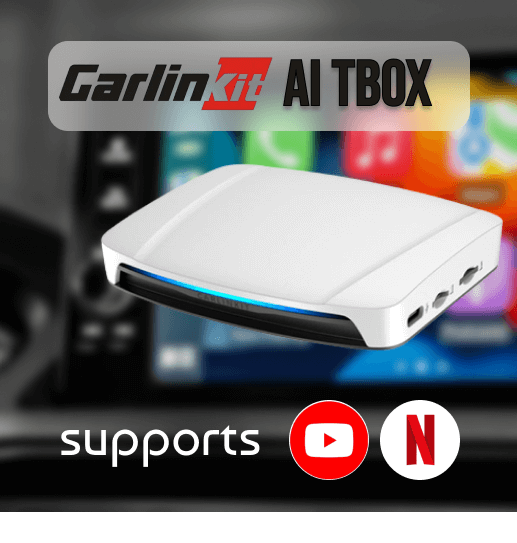
Carlinkit is a famous brand of wireless adapters to enable CarPlay YouTube and video content. It is set up with 8 GB of RAM and 128 GB of storage and enable lag-free wifi connections. It's a highly reliable and affordable car accessory to connect your iPhone to the car infotainment system. Carlinkit wireless adapter is supported with multi-platforms. Also, this handles all the preloaded applications like YouTube, Hulu, Netflix, etc.
Compatible iPhone Models:
- iPhone 16, iPhone 16Plus, iPhone 16 Pro and iPhone 16 Pro Max,
- iPhone 15, iPhone 15Plus, iPhone 15 Pro and iPhone 15 Pro Max,
- iPhone 14, iPhone 14 Plus, iPhone 14 Pro and iPhone 14 Pro Max,
- iPhone 13 Pro Max, iPhone 13 Pro, iPhone 13, iPhone 13 mini,
- iPhone 12 Pro Max, iPhone 12 Pro, iPhone 12 mini, iPhone 12
- iPhone SE
- iPhone 11 Pro Max, iPhone 11 Pro, iPhone 11
- iPhone Xs Max, iPhone Xs, iPhone XR, iPhone X,
- iPhone 8, iPhone 8 Plus,
- iPhone 7, iPhone 7 Plus,
- iPhone 6s, iPhone 6s Plus, iPhone 6, iPhone 6 Plus,
- iPhone 5s, iPhone 5c, iPhone 5
Compatible iOS Versions:
iOS 10 and later
Prerequisites:
Compatible with models with built-in CarPlay
Features:
- Fast and reliable
- Support with multi-platforms
- The adapter comes with a USB cable
- Easy connecting with the help of a mobile hotspot
- Watch videos on Netflix, YouTube or other streaming video Apps
- You can install more favorite apps, such as YouTube, Netflix, TikTok, Hulu, Spotify, Disney+, Prime Video, etc to watch on Apple Carplay.
- Supports playing local video and music from a USB disk.
- Can watch YouTube on CarPlay and, watch Netflix, Hulu, etc.
- It is simple to install, and after the initial connection, it will remain connected the next time you start the car.
Note: This is an affiliated product from a third party with a decade of trust in the market.
As Slack is basically a communication app which can distract the driver, Apple does not allow it on CarPlay by default. As you can see, this action has been taken for your safety. But we understand that there are situations in which we can use Slack on CarPlay without any risk. So, if you have a good control to use it safely, You can experience more on your CarPlay with these solutions and install all your favorite apps on CarPlay including Slack. Happy driving !!!
Reference
In this article, I brought you how to add Slack on CarPlay. here is my official reference for this content.